 28allday
48dd9b2f0a
28allday
48dd9b2f0a
Doc drift from the last two commits:

* Intro mentioned "--auto-pause" — replaced with the external watcher,
  so rewrite to describe that instead.
* Added socat to the deps table and the new motion-wallpaper-watcher
  binary + SVG icon to the Files Created table.
* State file description updated to include LAST_DIR; mentions the
  atomic write + safe KEY=VALUE parser.
* Autostart section replaced with the TUI-first flow (first-run
  prompt, menu toggle, stop-offers-disable, disable-offers-stop),
  with systemctl as an alternative.
* How It Works expanded with the setsid + uwsm-app spawn, the flock
  on the stop path, and a new "Auto-pause (the watcher)" subsection
  describing the Hyprland socket2 + mpv IPC bridge.
* Added a troubleshooting entry for auto-pause not firing
  (fullscreen vs full-width, watcher log check).
* Uninstall removes the new watcher binary; package remove line
  updated to the real deps (was still listing zenity).
214 lines
10 KiB
Markdown
214 lines
10 KiB
Markdown
# Motion Wallpaper - Omarchy
|
||
|
||
[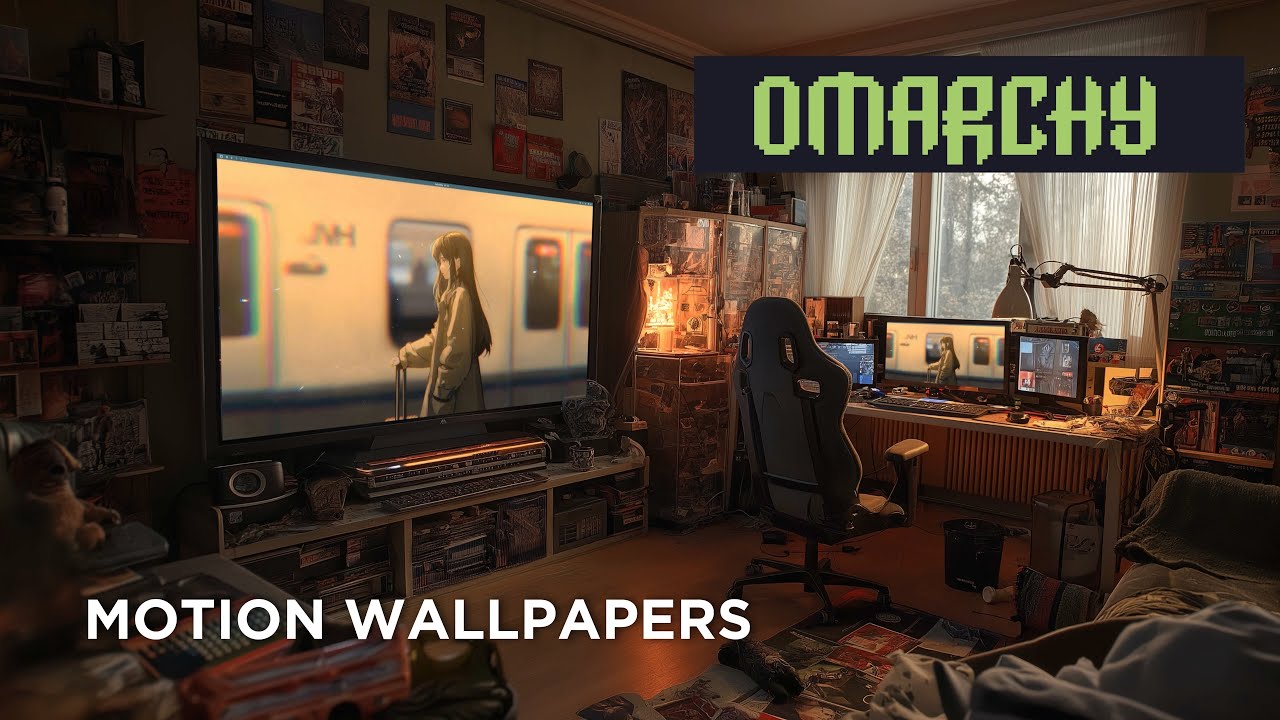](https://youtu.be/GpdS_jyW9kU)
|
||
|
||
Animated video wallpapers for [Omarchy](https://omarchy.com) (Arch Linux + Hyprland).
|
||
|
||
Uses [mpvpaper](https://github.com/GhostNaN/mpvpaper) to play any video file as your desktop wallpaper. Features a [gum](https://github.com/charmbracelet/gum)-powered TUI with Stop / Change-video / autostart toggle, a quick-pick library folder, a systemd autostart unit so the wallpaper survives reboots, and an auto-pause watcher that subscribes to Hyprland's event socket and pauses the video whenever a fullscreen window covers the wallpaper — so games and full-screen video don't pay the decode cost.
|
||
|
||
## Quick Start
|
||
|
||
```bash
|
||
git clone https://git.no-signal.uk/nosignal/Motion-Wallpaper-Omarchy.git
|
||
cd Motion-Wallpaper-Omarchy
|
||
chmod +x wallpaper.sh
|
||
./wallpaper.sh
|
||
```
|
||
|
||
The installer handles all dependencies automatically.
|
||
|
||
## Requirements
|
||
|
||
- **OS**: [Omarchy](https://omarchy.com) (Arch Linux)
|
||
- **Compositor**: Hyprland
|
||
- **AUR Helper**: yay or paru (for mpvpaper)
|
||
|
||
## What It Installs
|
||
|
||
### Packages
|
||
|
||
| Package | Source | Purpose |
|
||
|---------|--------|---------|
|
||
| `mpv` | Official repos | Video player engine (decodes and renders video) |
|
||
| `jq` | Official repos | Parses monitor info from Hyprland |
|
||
| `gum` | Official repos | TUI toolkit (action menus, monitor picker, file browser) |
|
||
| `socat` | Official repos | UNIX-socket bridge used by the auto-pause watcher |
|
||
| `libnotify` | Official repos | `notify-send` for post-action desktop notifications |
|
||
| `mpvpaper` | AUR | Wayland wallpaper daemon that uses mpv as its backend |
|
||
|
||
### Files Created
|
||
|
||
| Path | Purpose |
|
||
|------|---------|
|
||
| `~/.local/bin/motion-wallpaper-toggle` | Runtime TUI (toggle / start / stop / change / status) |
|
||
| `~/.local/bin/motion-wallpaper-watcher` | Auto-pause watcher — pauses mpv on fullscreen |
|
||
| `~/.local/share/applications/motion-wallpaper-toggle.desktop` | App launcher entry (Terminal=true) |
|
||
| `~/.local/share/icons/hicolor/scalable/apps/motion-wallpaper.svg` | Launcher icon |
|
||
| `~/.config/systemd/user/motion-wallpaper.service` | Autostart unit (not enabled by default) |
|
||
| `~/.config/motion-wallpaper/state` | Last video, target monitor, and last-used directory |
|
||
| `~/.cache/motion-wallpaper.log` | Runtime log |
|
||
|
||
## Usage
|
||
|
||
### From App Launcher
|
||
|
||
Search for **"Motion Wallpaper"** in Walker or your app launcher. Because the entry is a TUI, your launcher spawns a terminal window (`Terminal=true` in the `.desktop` entry) and runs the gum interface inside it. The terminal closes automatically when the action finishes.
|
||
|
||
### From Terminal
|
||
|
||
```bash
|
||
motion-wallpaper-toggle # interactive — toggle, or Stop/Change if running
|
||
motion-wallpaper-toggle change # pick a new video without stopping first
|
||
motion-wallpaper-toggle stop # stop and restore the normal wallpaper
|
||
motion-wallpaper-toggle status # print current state
|
||
motion-wallpaper-toggle start # non-interactive start from saved state (used by systemd)
|
||
```
|
||
|
||
### With a Keybind
|
||
|
||
Add this to `~/.config/hypr/bindings.conf`:
|
||
|
||
```
|
||
bind = SUPER ALT, W, exec, ~/.local/bin/motion-wallpaper-toggle
|
||
```
|
||
|
||
> **Note**: `SUPER+W` is already bound to "Close window" in Omarchy. Use `SUPER ALT+W` or another free combination.
|
||
|
||
### Video library folder
|
||
|
||
Drop videos in `~/Videos/Wallpapers/` and the picker shows that folder as a quick list instead of opening the full filesystem browser. A **Browse…** entry is always available for picking something outside the library. The last directory you picked from is remembered (`LAST_DIR` in the state file) — next time you **Browse…**, `gum file` opens there instead of `$HOME`.
|
||
|
||
### Persist across reboots (autostart)
|
||
|
||
The first time you start a wallpaper, the TUI asks whether to enable autostart. Say yes and the bundled systemd user unit is enabled — on next login it calls `motion-wallpaper-toggle start`, which loads the saved video + target and starts mpvpaper non-interactively.
|
||
|
||
You can flip autostart any time from the running-state menu (**Turn autostart ON / OFF**). The header always shows the current state. If you click **Stop** while autostart is still on, the TUI offers to disable it too so "stop" really means stop. If you disable autostart while the wallpaper is running, it offers to stop the current instance.
|
||
|
||
CLI alternative:
|
||
```bash
|
||
systemctl --user enable --now motion-wallpaper.service
|
||
systemctl --user disable --now motion-wallpaper.service
|
||
```
|
||
If no state has been saved yet, the unit exits cleanly without error.
|
||
|
||
## How It Works
|
||
|
||
### Toggle — not running
|
||
|
||
1. Detects monitors via `hyprctl monitors -j`.
|
||
2. If multiple monitors, offers a picker with an **All monitors** option (passes `*` to mpvpaper).
|
||
3. Shows the video library (if any) or a `gum file` browser starting at `LAST_DIR`.
|
||
4. Stops the current wallpaper daemon (`swaybg` on Omarchy, or `hyprpaper` on generic Hyprland) so mpvpaper is visible, then runs `setsid uwsm-app -- mpvpaper -o "..."` with `--loop --no-audio --mute=yes --vo=gpu --profile=high-quality --input-ipc-server=…` and spawns the watcher. `setsid` + `uwsm-app` detaches mpvpaper from the TUI terminal so it survives the window closing.
|
||
5. Verifies mpvpaper is alive after 0.8s; surfaces failures inline and holds the terminal open until you press enter.
|
||
6. Saves video, target, and last-used directory to `~/.config/motion-wallpaper/state` (atomic write, parsed back without `source` so it can't execute code from the state file).
|
||
7. If autostart isn't already enabled, asks whether to enable it.
|
||
|
||
### Toggle — already running
|
||
|
||
Shows a menu with four entries:
|
||
|
||
- **Stop motion wallpaper** — kill the watcher + mpvpaper and restore the previous static wallpaper. On Omarchy this respawns `swaybg -i ~/.config/omarchy/current/background -m fill` via `uwsm-app`, matching how Omarchy autostarts it; on generic Hyprland it re-execs `hyprpaper`. Stop is `flock`-guarded, so the TUI path and systemd's `ExecStop` can't race.
|
||
- **Change video** — pick a new video, keep the same target, swap in place (`LAST_DIR` updates if you browsed).
|
||
- **Turn autostart ON / OFF** — toggles the systemd unit. Label reflects current state.
|
||
- **Cancel** — bail without changes.
|
||
|
||
### Auto-pause (the watcher)
|
||
|
||
`motion-wallpaper-watcher` subscribes to Hyprland's event socket (`$XDG_RUNTIME_DIR/hypr/<instance>/.socket2.sock`) and, on `fullscreen>>1`, sends `{"command":["set_property","pause",true]}` to mpv's IPC socket (`--input-ipc-server`). On `fullscreen>>0` it resumes. The watcher is started and killed alongside mpvpaper by the toggle script. mpvpaper's own `-p` flag was flaky on Hyprland 0.54.x, hence this external approach.
|
||
|
||
## Supported Video Formats
|
||
|
||
Any format mpv supports, including:
|
||
|
||
- `.mp4` (H.264, H.265)
|
||
- `.mkv` (Matroska)
|
||
- `.webm` (VP9, AV1)
|
||
- `.mov` (QuickTime)
|
||
- `.avi`
|
||
|
||
## Finding Video Wallpapers
|
||
|
||
Search for "live wallpaper" or "motion desktop" videos. Good sources include:
|
||
|
||
- YouTube (download with `yt-dlp`)
|
||
- [Wallpaper Engine](https://store.steampowered.com/app/431960/Wallpaper_Engine/) workshop (some can be extracted)
|
||
- Free stock video sites (Pexels, Pixabay)
|
||
|
||
**Tips for best results:**
|
||
|
||
- Match your monitor resolution (e.g. 3840x2160 for 4K)
|
||
- Seamless loops look best (no visible cut at the loop point)
|
||
- Shorter videos (10-30 seconds) use less memory
|
||
- H.264 `.mp4` has the best hardware decode support
|
||
|
||
## Performance
|
||
|
||
mpvpaper uses GPU-accelerated rendering (`--vo=gpu`) so CPU usage is minimal. The watcher also pauses playback whenever a fullscreen window covers the wallpaper, so games and full-screen video don't pay the decode cost.
|
||
|
||
- Higher resolution videos use more VRAM.
|
||
- Shorter seamless loops (10–30s) use less memory.
|
||
- If you still notice impact, toggle the wallpaper off or disable autostart.
|
||
|
||
## Troubleshooting
|
||
|
||
First stop: `~/.cache/motion-wallpaper.log` — both the toggle script and mpvpaper write there.
|
||
|
||
**Video wallpaper doesn't appear / shows black**
|
||
- Check the log. Codec issues and "no such monitor" errors both show up there.
|
||
- Make sure hyprpaper and swaybg are not running: `pgrep hyprpaper && pkill hyprpaper`
|
||
|
||
**TUI fails with "gum is not installed"**
|
||
- `sudo pacman -S gum`
|
||
|
||
**Launcher runs it but no terminal opens**
|
||
- Make sure your default terminal is XDG-registered. Omarchy's alacritty works out of the box.
|
||
- As a fallback, run `motion-wallpaper-toggle` directly from any terminal.
|
||
|
||
**"No monitors detected" error**
|
||
- Make sure you're running Hyprland: `echo $XDG_CURRENT_DESKTOP`
|
||
- Check hyprctl works: `hyprctl monitors`
|
||
|
||
**Autostart unit fails**
|
||
- `journalctl --user -u motion-wallpaper.service`
|
||
- If the saved video was moved or deleted, the unit exits non-zero. Run the toggle interactively once to save fresh state.
|
||
|
||
**Auto-pause isn't pausing on fullscreen**
|
||
- Make sure the window is truly fullscreen (`hyprctl activewindow -j | jq '.fullscreen'` should be non-zero). On Omarchy, **SUPER+F** is true fullscreen; **SUPER+ALT+F** is only "full width" and won't trigger pause.
|
||
- `grep watcher: ~/.cache/motion-wallpaper.log` should show `fullscreen entered — pause` / `fullscreen left — resume` lines.
|
||
- If the watcher isn't running: `pgrep -af motion-wallpaper-watcher`. If missing, the toggle script failed to spawn it — check the log around the start time.
|
||
|
||
**Normal wallpaper doesn't come back after toggling off**
|
||
- Omarchy: `pkill -x swaybg; setsid uwsm-app -- swaybg -i ~/.config/omarchy/current/background -m fill &`
|
||
- Or just cycle the background: `omarchy-theme-bg-next` then back with `SUPER CTRL SPACE`.
|
||
- Generic Hyprland: `hyprctl dispatch exec hyprpaper`.
|
||
|
||
## Uninstalling
|
||
|
||
```bash
|
||
# Stop and disable autostart if enabled
|
||
systemctl --user disable --now motion-wallpaper.service 2>/dev/null || true
|
||
|
||
# Remove installed files
|
||
rm -f ~/.local/bin/motion-wallpaper-toggle
|
||
rm -f ~/.local/bin/motion-wallpaper-watcher
|
||
rm -f ~/.local/share/applications/motion-wallpaper-toggle.desktop
|
||
rm -f ~/.local/share/icons/hicolor/scalable/apps/motion-wallpaper.svg
|
||
rm -f ~/.config/systemd/user/motion-wallpaper.service
|
||
rm -rf ~/.config/motion-wallpaper
|
||
rm -f ~/.cache/motion-wallpaper.log
|
||
systemctl --user daemon-reload
|
||
|
||
# Optionally remove packages (skip any you want to keep for other uses)
|
||
sudo pacman -Rns mpvpaper gum socat
|
||
```
|
||
|
||
## Credits
|
||
|
||
- [Omarchy](https://omarchy.com) - The Arch Linux distribution this was built for
|
||
- [mpvpaper](https://github.com/GhostNaN/mpvpaper) - Wayland video wallpaper daemon
|
||
- [mpv](https://mpv.io/) - The video player engine
|
||
- [Hyprland](https://hyprland.org/) - Wayland compositor
|
||
|
||
## License
|
||
|
||
This project is provided as-is for the Omarchy community.
|