 28allday
f31ff2b152
28allday
f31ff2b152
Major rewrite of the runtime so the entry point is a proper gum TUI
instead of zenity dialogs, plus a handful of correctness fixes that
make it work on real Omarchy setups.

Runtime (motion-wallpaper-toggle, extracted from the installer heredoc):
  * Full gum TUI: status header, monitor picker (with All monitors),
    library / filesystem pickers, change-video, autostart toggle.
  * State file at ~/.config/motion-wallpaper/state remembers last
    video, target monitor, and last-used directory so Browse reopens
    where the user was.
  * Actions: toggle | start | stop | change | status.

Autostart:
  * Ships a systemd user unit (motion-wallpaper.service).
  * First fresh start prompts the user via gum confirm to enable it.
  * Running-state menu offers a Turn autostart ON/OFF entry.
  * Header shows the current autostart state.

Auto-pause:
  * mpvpaper's -p is unreliable on Hyprland 0.54.x, so a small
    motion-wallpaper-watcher subscribes to Hyprland's socket2 and
    toggles mpv pause/resume via --input-ipc-server on fullscreen
    enter/exit. Started/stopped alongside mpvpaper.

Omarchy compatibility:
  * Stop path now respawns swaybg pointed at
    ~/.config/omarchy/current/background via setsid uwsm-app (the way
    Omarchy autostarts it), instead of execing hyprpaper which isn't
    present. Falls back to hyprpaper on non-Omarchy Hyprland setups.
  * mpvpaper is launched under setsid uwsm-app so it survives the
    Walker-spawned terminal closing.

Install / UX:
  * Installer only invokes sudo/yay when packages are actually
    missing, so reinstall is quiet.
  * Dropped zenity; added gum + socat + libnotify.
  * Custom SVG icon in the hicolor theme so Walker shows a proper
    tile. Installer restarts elephant.service so the new entry/icon
    appear without logout.
  * .desktop flipped to Terminal=true so launchers spawn a terminal
    for the TUI.
  * Watcher lookup falls back to the script's own dir when PATH is
    minimal (launcher-spawned terminals).

Bug fixes:
  * Monitor picker was sending row-major data to zenity as one cell;
    fixed (kept the correct form for the new gum picker).
  * load_state / action_status no longer leak a non-zero exit code
    from trailing test expressions.
  * Stop path cleans up stray hyprpaper that would otherwise win the
    background layer.
195 lines
7.8 KiB
Markdown
195 lines
7.8 KiB
Markdown
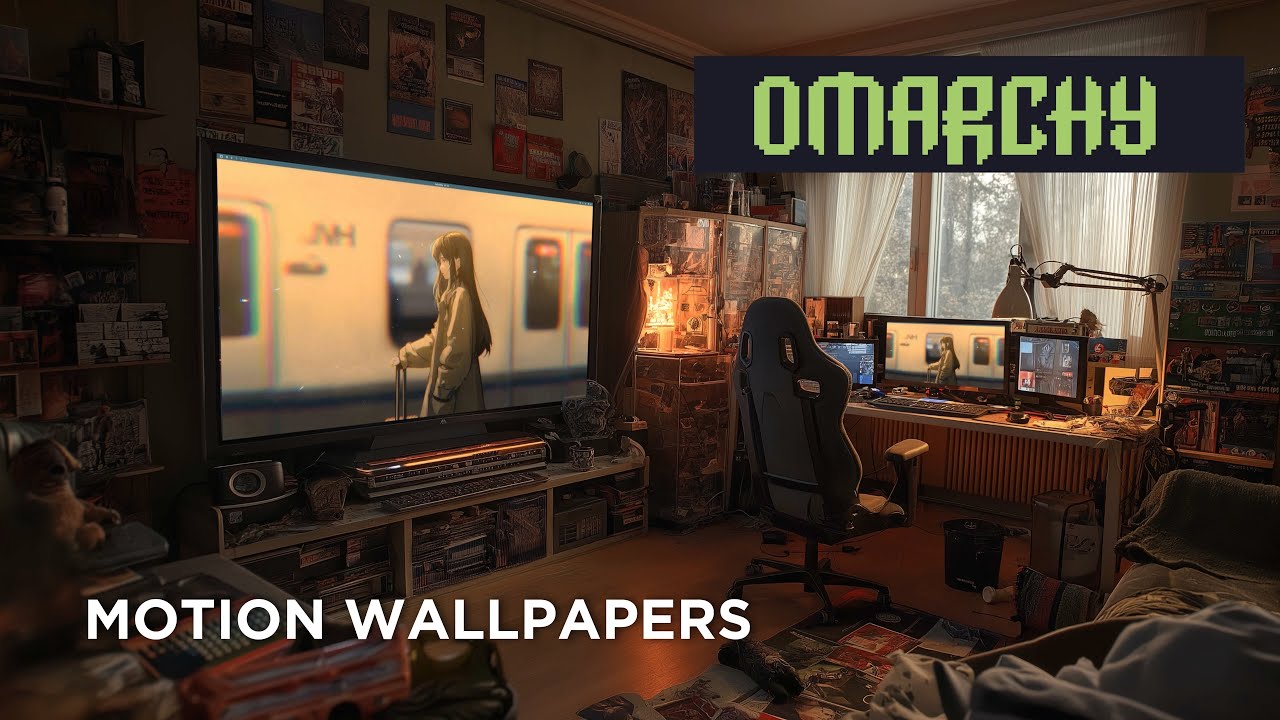
# Motion Wallpaper - Omarchy
|
||
|
||
[](https://youtu.be/GpdS_jyW9kU)
|
||
|
||
Animated video wallpapers for [Omarchy](https://omarchy.com) (Arch Linux + Hyprland).
|
||
|
||
Uses [mpvpaper](https://github.com/GhostNaN/mpvpaper) to play any video file as your desktop wallpaper. Features a [gum](https://github.com/charmbracelet/gum)-powered TUI with Stop / Change-video options, a quick-pick library folder, optional systemd autostart so the wallpaper survives reboots, and pause-on-fullscreen so games and full-screen video don't pay the decode cost.
|
||
|
||
## Quick Start
|
||
|
||
```bash
|
||
git clone https://git.no-signal.uk/nosignal/Motion-Wallpaper-Omarchy.git
|
||
cd Motion-Wallpaper-Omarchy
|
||
chmod +x wallpaper.sh
|
||
./wallpaper.sh
|
||
```
|
||
|
||
The installer handles all dependencies automatically.
|
||
|
||
## Requirements
|
||
|
||
- **OS**: [Omarchy](https://omarchy.com) (Arch Linux)
|
||
- **Compositor**: Hyprland
|
||
- **AUR Helper**: yay or paru (for mpvpaper)
|
||
|
||
## What It Installs
|
||
|
||
### Packages
|
||
|
||
| Package | Source | Purpose |
|
||
|---------|--------|---------|
|
||
| `mpv` | Official repos | Video player engine (decodes and renders video) |
|
||
| `jq` | Official repos | Parses monitor info from Hyprland |
|
||
| `gum` | Official repos | TUI toolkit (action menus, monitor picker, file browser) |
|
||
| `libnotify` | Official repos | `notify-send` for post-action desktop notifications |
|
||
| `mpvpaper` | AUR | Wayland wallpaper daemon that uses mpv as its backend |
|
||
|
||
### Files Created
|
||
|
||
| Path | Purpose |
|
||
|------|---------|
|
||
| `~/.local/bin/motion-wallpaper-toggle` | Runtime script (toggle / start / stop / change / status) |
|
||
| `~/.local/share/applications/motion-wallpaper-toggle.desktop` | App launcher entry |
|
||
| `~/.config/systemd/user/motion-wallpaper.service` | Optional autostart unit (not enabled by default) |
|
||
| `~/.config/motion-wallpaper/state` | Last-used video + target monitor |
|
||
| `~/.cache/motion-wallpaper.log` | Runtime log |
|
||
|
||
## Usage
|
||
|
||
### From App Launcher
|
||
|
||
Search for **"Motion Wallpaper"** in Walker or your app launcher. Because the entry is a TUI, your launcher spawns a terminal window (`Terminal=true` in the `.desktop` entry) and runs the gum interface inside it. The terminal closes automatically when the action finishes.
|
||
|
||
### From Terminal
|
||
|
||
```bash
|
||
motion-wallpaper-toggle # interactive — toggle, or Stop/Change if running
|
||
motion-wallpaper-toggle change # pick a new video without stopping first
|
||
motion-wallpaper-toggle stop # stop and restore the normal wallpaper
|
||
motion-wallpaper-toggle status # print current state
|
||
motion-wallpaper-toggle start # non-interactive start from saved state (used by systemd)
|
||
```
|
||
|
||
### With a Keybind
|
||
|
||
Add this to `~/.config/hypr/bindings.conf`:
|
||
|
||
```
|
||
bind = SUPER ALT, W, exec, ~/.local/bin/motion-wallpaper-toggle
|
||
```
|
||
|
||
> **Note**: `SUPER+W` is already bound to "Close window" in Omarchy. Use `SUPER ALT+W` or another free combination.
|
||
|
||
### Video library folder
|
||
|
||
Drop videos in `~/Videos/Wallpapers/` and the picker shows that folder as a quick list instead of opening the full filesystem browser. A **Browse…** entry is always available for picking something outside the library.
|
||
|
||
### Persist across reboots (autostart)
|
||
|
||
Enable the bundled systemd user unit — it calls `motion-wallpaper-toggle start`, which loads the last video and target monitor from state and starts mpvpaper non-interactively:
|
||
|
||
```bash
|
||
systemctl --user enable --now motion-wallpaper.service
|
||
```
|
||
|
||
Disable with `systemctl --user disable --now motion-wallpaper.service`. If no state has been saved yet, the unit exits cleanly without error.
|
||
|
||
## How It Works
|
||
|
||
### Toggle — not running
|
||
|
||
1. Detects monitors via `hyprctl monitors -j`.
|
||
2. If multiple monitors, offers a picker with an **All monitors** option (passes `*` to mpvpaper).
|
||
3. Shows the video library (if any) or a file picker.
|
||
4. Stops the current wallpaper daemon (`swaybg` on Omarchy, or `hyprpaper` on generic Hyprland) so mpvpaper is visible, then starts `mpvpaper -f` with `--auto-pause`, `--loop`, `--vo=gpu`, `--profile=high-quality`.
|
||
5. Verifies mpvpaper is alive after 0.5s; surfaces failures inline in the TUI and holds the terminal open until you press enter.
|
||
6. Saves the video path and target to `~/.config/motion-wallpaper/state`.
|
||
|
||
### Toggle — already running
|
||
|
||
Shows a radiolist with two choices:
|
||
|
||
- **Stop motion wallpaper** — kill mpvpaper and restore the previous static wallpaper. On Omarchy this respawns `swaybg -i ~/.config/omarchy/current/background -m fill` via `uwsm-app`, matching how Omarchy autostarts it; on generic Hyprland it re-execs `hyprpaper`.
|
||
- **Change video** — pick a new video, keep the same target, swap in place.
|
||
|
||
## Supported Video Formats
|
||
|
||
Any format mpv supports, including:
|
||
|
||
- `.mp4` (H.264, H.265)
|
||
- `.mkv` (Matroska)
|
||
- `.webm` (VP9, AV1)
|
||
- `.mov` (QuickTime)
|
||
- `.avi`
|
||
|
||
## Finding Video Wallpapers
|
||
|
||
Search for "live wallpaper" or "motion desktop" videos. Good sources include:
|
||
|
||
- YouTube (download with `yt-dlp`)
|
||
- [Wallpaper Engine](https://store.steampowered.com/app/431960/Wallpaper_Engine/) workshop (some can be extracted)
|
||
- Free stock video sites (Pexels, Pixabay)
|
||
|
||
**Tips for best results:**
|
||
|
||
- Match your monitor resolution (e.g. 3840x2160 for 4K)
|
||
- Seamless loops look best (no visible cut at the loop point)
|
||
- Shorter videos (10-30 seconds) use less memory
|
||
- H.264 `.mp4` has the best hardware decode support
|
||
|
||
## Performance
|
||
|
||
mpvpaper uses GPU-accelerated rendering (`--vo=gpu`) so CPU usage is minimal. `--auto-pause` also pauses playback whenever a fullscreen window covers the wallpaper, so games and full-screen video don't pay the decode cost.
|
||
|
||
- Higher resolution videos use more VRAM.
|
||
- Shorter seamless loops (10–30s) use less memory.
|
||
- If you still notice impact, toggle the wallpaper off or disable autostart.
|
||
|
||
## Troubleshooting
|
||
|
||
First stop: `~/.cache/motion-wallpaper.log` — both the toggle script and mpvpaper write there.
|
||
|
||
**Video wallpaper doesn't appear / shows black**
|
||
- Check the log. Codec issues and "no such monitor" errors both show up there.
|
||
- Make sure hyprpaper and swaybg are not running: `pgrep hyprpaper && pkill hyprpaper`
|
||
|
||
**TUI fails with "gum is not installed"**
|
||
- `sudo pacman -S gum`
|
||
|
||
**Launcher runs it but no terminal opens**
|
||
- Make sure your default terminal is XDG-registered. Omarchy's alacritty works out of the box.
|
||
- As a fallback, run `motion-wallpaper-toggle` directly from any terminal.
|
||
|
||
**"No monitors detected" error**
|
||
- Make sure you're running Hyprland: `echo $XDG_CURRENT_DESKTOP`
|
||
- Check hyprctl works: `hyprctl monitors`
|
||
|
||
**Autostart unit fails**
|
||
- `journalctl --user -u motion-wallpaper.service`
|
||
- If the saved video was moved or deleted, the unit exits non-zero. Run the toggle interactively once to save fresh state.
|
||
|
||
**Normal wallpaper doesn't come back after toggling off**
|
||
- Omarchy: `pkill -x swaybg; setsid uwsm-app -- swaybg -i ~/.config/omarchy/current/background -m fill &`
|
||
- Or just cycle the background: `omarchy-theme-bg-next` then back with `SUPER CTRL SPACE`.
|
||
- Generic Hyprland: `hyprctl dispatch exec hyprpaper`.
|
||
|
||
## Uninstalling
|
||
|
||
```bash
|
||
# Stop and disable autostart if enabled
|
||
systemctl --user disable --now motion-wallpaper.service 2>/dev/null || true
|
||
|
||
# Remove installed files
|
||
rm -f ~/.local/bin/motion-wallpaper-toggle
|
||
rm -f ~/.local/share/applications/motion-wallpaper-toggle.desktop
|
||
rm -f ~/.local/share/icons/hicolor/scalable/apps/motion-wallpaper.svg
|
||
rm -f ~/.config/systemd/user/motion-wallpaper.service
|
||
rm -rf ~/.config/motion-wallpaper
|
||
rm -f ~/.cache/motion-wallpaper.log
|
||
systemctl --user daemon-reload
|
||
|
||
# Optionally remove packages
|
||
sudo pacman -Rns mpvpaper zenity
|
||
```
|
||
|
||
## Credits
|
||
|
||
- [Omarchy](https://omarchy.com) - The Arch Linux distribution this was built for
|
||
- [mpvpaper](https://github.com/GhostNaN/mpvpaper) - Wayland video wallpaper daemon
|
||
- [mpv](https://mpv.io/) - The video player engine
|
||
- [Hyprland](https://hyprland.org/) - Wayland compositor
|
||
|
||
## License
|
||
|
||
This project is provided as-is for the Omarchy community.
|