 28allday
e54f45723f
28allday
e54f45723f
- Bump banner version 0.1.3 → 0.1.6.
- Drop the "moving toward distro-portability" / "cross-distro is the
  next direction" notes — DeckShift is Omarchy-only.
- Add What's New entries for v0.1.4 (portal-recovery race fix),
  v0.1.5 (clipboard via Walker restart), v0.1.6 (Omarchy-only cleanup).
- Combine the screen-sharing and clipboard symptoms into a single
  troubleshooting block (same root cause) and replace the old racy
  manual-restart command with `touch /tmp/.deckshift-just-returned
  && /usr/local/bin/deckshift-portal-recovery`, with a note explaining
  why the marker is required.

Co-Authored-By: Claude Opus 4.7 (1M context) <noreply@anthropic.com>
554 lines
28 KiB
Markdown
554 lines
28 KiB
Markdown
# DeckShift
|
||
|
||
**Version 0.1.6** — Steam Deck-style gaming mode for [Omarchy](https://omarchy.com). Press `Super+Shift+S` to enter Gaming Mode (Steam Big Picture in Gamescope), `Super+Shift+R` to return to your desktop.
|
||
|
||
Lineage: forked from [Super-Shift-S-Omarchy-Deck-Mode](https://git.no-signal.uk/nosignal/Super-Shift-S-Omarchy-Deck-Mode), briefly renamed Omarchy Deck, then renamed DeckShift.
|
||
|
||
> **Target:** [Omarchy](https://omarchy.com) — Arch + Hyprland + SDDM + Walker. DeckShift depends on Omarchy-specific helpers (`omarchy-pkg-add`, `omarchy-restart-walker`, etc.) and is not intended to be cross-distro.
|
||
|
||
[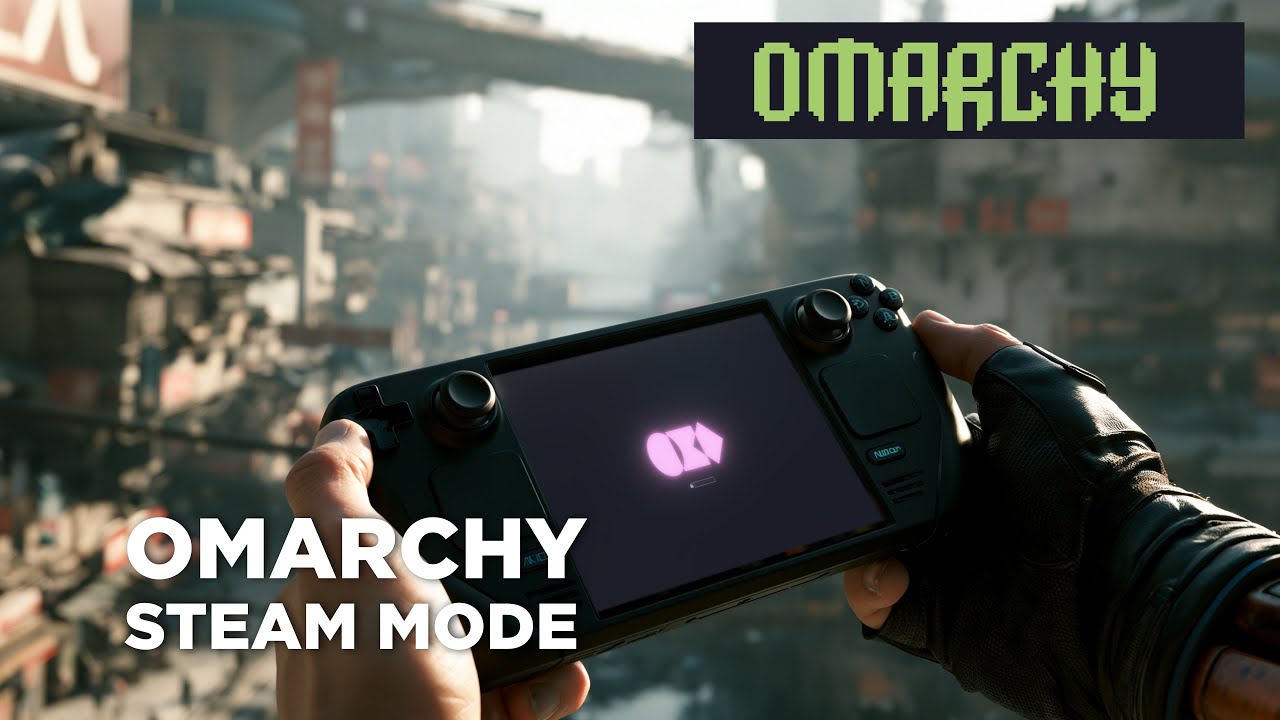](https://youtu.be/nj4pLh3spCs)
|
||
|
||
## What's New
|
||
|
||
### v0.1.6 — Omarchy-only, simpler portal recovery
|
||
|
||
- Dropped the non-Omarchy fallback in `deckshift-portal-recovery` — DeckShift targets Omarchy only, so the helper now just calls `omarchy-restart-walker` directly.
|
||
- Header / docs cleaned up to drop the "cross-distro is the next direction" note.
|
||
|
||
### v0.1.5 — clipboard recovery after Gaming Mode
|
||
|
||
- After returning from Gaming Mode, Walker's clipboard listener (`elephant.service`) was still bound to the killed Hyprland's Wayland socket, so paste did nothing and clipboard history was empty.
|
||
- `deckshift-portal-recovery` now calls `omarchy-restart-walker` at the end, which restarts `elephant.service` + `app-walker@autostart.service` and reattaches the clipboard to the live compositor.
|
||
|
||
### v0.1.4 — portal recovery race fix
|
||
|
||
- The initial `deckshift-portal-recovery` helper restarted all five services (xdg-desktop-portal-hyprland, xdg-desktop-portal, pipewire, pipewire-pulse, wireplumber) simultaneously. That raced — the portals could come up before wireplumber had rebuilt the node graph, leaving the screencast portal bound to nothing.
|
||
- Rewritten as a serialised sequence: push live `WAYLAND_DISPLAY`/`XDG_*` env into systemd-user + D-Bus activation env → stop portals → SIGTERM/SIGKILL stragglers → restart pipewire stack → wait → start portals.
|
||
- Thanks to the user on the issue tracker who diagnosed the race and supplied the env-update + serialised-restart sequence.
|
||
|
||
### v0.1.3 — power-state save/restore + reliable exit
|
||
|
||
- **Saves your real pre-Gaming-Mode state** (CPU governor + power profile) on entry to `~/.cache/deckshift/saved-state` and restores those exact values on exit. No more guessing `powersave`/`balanced`.
|
||
- **Synchronous restore in `switch-to-desktop`** — runs *before* SDDM is restarted, so the restore can't be SIGKILL'd mid-write by session teardown.
|
||
- **`switch-to-desktop` now uses an atomic `systemctl restart sddm`** instead of a racy stop+disowned-start that could leave the display manager stopped (= black screen).
|
||
- **`powerprofilesctl` is now in the NOPASSWD allowlist** so the restore call can succeed without a polkit auth agent.
|
||
|
||
### v0.1.2 — TUI hardening + hybrid PRIME offload
|
||
|
||
- **Hybrid GPU support in the Settings TUI.** Two new GPU modes:
|
||
- **`[hybrid-nvidia]`** — for laptops with NVIDIA dGPU + AMD/Intel iGPU where the laptop screen (`eDP-1`) is wired to the iGPU. Sets `__NV_PRIME_RENDER_OFFLOAD=1` + friends so Gamescope runs on the iGPU but games inside still render on the NVIDIA dGPU via PRIME render offload. Tested working on Acer Nitro (AMD APU + RTX 3050) playing Homeworld 3 with NVIDIA acceleration on the laptop screen.
|
||
- **`[hybrid-amd]`** — for AMD dGPU + AMD/Intel iGPU laptops. Asks which GPU is the dGPU, then sets `DRI_PRIME` + `MESA_VK_DEVICE_SELECT` so games offload to the AMD dGPU.
|
||
- **Settings TUI no longer crashes on stale `OUTPUT_CONNECTOR`.** When the saved monitor is currently unplugged the TUI falls back gracefully instead of tripping `pipefail`.
|
||
- **Installer no longer preselects monitor / resolution / refresh rate.** Display selection is now exclusively the TUI's job; the installer writes only GPU and static keys to `gamescope-session-plus.conf`.
|
||
- **Conf writer is now per-key set/unset** (sed-based), idempotent — re-running the installer preserves user-set display values from the TUI instead of clobbering them.
|
||
|
||
### v0.1.1 / v0.1.0 — original deckshift fork
|
||
|
||
- Settings TUI launched from Walker (`Super+Space → "DeckShift Settings"`).
|
||
- NVIDIA driver branch auto-pick (Pascal/Maxwell/Volta → `nvidia-580xx-utils`, Turing+ → `nvidia-utils`) via Omarchy's `omarchy-hw-nvidia-gsp`.
|
||
- Idempotent package installs via `omarchy-pkg-add`.
|
||
- Optional Xbox Bluetooth controller support (`xpadneo-dkms`, opt-in).
|
||
- Intel GPU support (Iris Xe, Arc) with a generation warning for older Gen8/9.
|
||
- Multilib check removed (Omarchy ships with multilib enabled).
|
||
|
||
## Settings TUI
|
||
|
||
After install, launch `DeckShift Settings` from Walker (or run `deckshift-settings` directly) to change Gaming Mode display settings without editing config files:
|
||
|
||
| Option | What it sets in `gamescope-session-plus.conf` |
|
||
|---|---|
|
||
| Monitor | `OUTPUT_CONNECTOR` (auto-detected from connected DRM outputs; pick or clear) |
|
||
| Resolution | `SCREEN_WIDTH` / `SCREEN_HEIGHT` (offers monitor's native modes + common presets) |
|
||
| Refresh rate | `CUSTOM_REFRESH_RATES` (parsed from EDID, plus common rates as fallback) |
|
||
| GPU — direct | `VULKAN_ADAPTER` + `GBM_BACKEND` (NVIDIA) or `DRI_PRIME` (AMD/Intel) — single-GPU desktops |
|
||
| GPU — `[hybrid-nvidia]` | `__NV_PRIME_RENDER_OFFLOAD=1`, `__VK_LAYER_NV_optimus=NVIDIA_only`, `__GLX_VENDOR_LIBRARY_NAME=nvidia` — hybrid laptops with NVIDIA dGPU + iGPU-attached eDP |
|
||
| GPU — `[hybrid-amd]` | `DRI_PRIME=pci-…` + `MESA_VK_DEVICE_SELECT=<vendor:device>` + `MESA_VK_DEVICE_SELECT_FORCE_DEFAULT_DEVICE=1` — hybrid laptops with AMD dGPU + iGPU |
|
||
| (clear) | Removes all GPU keys; gamescope auto-picks at runtime |
|
||
|
||
The `[hybrid-*]` options only appear when the relevant GPU pair is detected.
|
||
|
||
The TUI launches as a floating window via Omarchy's `TUI.float` pattern. Selections are **buffered** — nothing is written to disk until you pick **Save and exit**. **Cancel** discards unsaved changes. Saved changes apply next time you enter Gaming Mode (`Super+Shift+S`).
|
||
|
||
## What It Does
|
||
|
||
This installer transforms your desktop into a dual-mode system:
|
||
|
||
- **Desktop Mode** — your normal Hyprland session.
|
||
- **Gaming Mode** — full-screen Steam Big Picture running inside Gamescope (the same compositor used by the Steam Deck), with automatic performance tuning, controller support, and external drive mounting.
|
||
|
||
Switching between modes is seamless — SDDM handles session transitions, and your network, audio, and peripherals carry over automatically.
|
||
|
||
## Requirements
|
||
|
||
- **OS**: [Omarchy](https://omarchy.com) (Arch Linux + Hyprland + SDDM)
|
||
- **GPU**: AMD (discrete or APU), NVIDIA (discrete), or Intel (Arc / Iris Xe), or any hybrid combo of the above
|
||
- Intel Arc (Alchemist, Battlemage): well-supported
|
||
- Tiger Lake / Alder Lake Iris Xe: playable for indies / older AAA
|
||
- Older Gen8/9 Intel (Skylake, Kaby Lake): expect slow/glitchy — installer warns and asks before continuing
|
||
- Hybrid laptops (NVIDIA + iGPU, AMD dGPU + iGPU): use the corresponding `[hybrid-*]` GPU mode in the Settings TUI
|
||
- **AUR Helper**: yay or paru (for ChimeraOS session packages)
|
||
|
||
> **Note**: This script targets Omarchy and its stack (Hyprland, SDDM, iwd, UWSM, PipeWire). It works on other Arch + Hyprland setups with light tweaks, but isn't tested there.
|
||
|
||
## Quick Start
|
||
|
||
```bash
|
||
git clone https://git.no-signal.uk/nosignal/deckshift.git
|
||
cd deckshift
|
||
chmod +x deckshift.sh
|
||
./deckshift.sh
|
||
```
|
||
|
||
The installer is fully interactive and walks you through each step.
|
||
|
||
After install, open `DeckShift Settings` from Walker and pick:
|
||
|
||
- A monitor
|
||
- A resolution / refresh rate
|
||
- A GPU mode — for hybrid laptops, prefer `[hybrid-nvidia]` or `[hybrid-amd]` over the direct options
|
||
|
||
Save, then `Super+Shift+S` to launch Gaming Mode.
|
||
|
||
## Usage
|
||
|
||
| Action | How |
|
||
|---|---|
|
||
| Enter Gaming Mode | `Super + Shift + S` |
|
||
| Return to Desktop | `Super + Shift + R` *(global keybind monitor catches it inside Gamescope)* |
|
||
| Return to Desktop (alternative) | Steam → Power → **Switch to Desktop** |
|
||
| Open settings | Walker → `DeckShift Settings`, or run `deckshift-settings` |
|
||
|
||
### Command-Line Options
|
||
|
||
```
|
||
./deckshift.sh # Full installation
|
||
./deckshift.sh --verify # Verify installation only
|
||
./deckshift.sh --version # Show version
|
||
./deckshift.sh --help # Show help
|
||
```
|
||
|
||
## Recovery from a Black Screen
|
||
|
||
If Gaming Mode (or anything else) leaves you on a black screen, here's the order of escalation:
|
||
|
||
1. **`Super + Shift + R`** — the keybind monitor inside Gamescope still works on a black screen as long as the kernel is processing input.
|
||
2. **Wait 10 seconds.** Sometimes the display is just renegotiating EDID after a session swap; give it a beat.
|
||
3. **Switch to a TTY**: press `Ctrl + Alt + F2` (try `F3` / `F4` if F2 is blank). You'll get a text login prompt.
|
||
4. Log in as your user, then run one of:
|
||
- **Cleanest** — log the graphical session out cleanly and bounce back to SDDM:
|
||
```
|
||
loginctl terminate-user $USER
|
||
```
|
||
- **Heavier** — restart the whole display manager:
|
||
```
|
||
sudo systemctl restart sddm
|
||
```
|
||
5. **From SSH** (from another machine on the network) the same commands work — handy if the box is wedged but its network is alive.
|
||
6. **Last resort:** hold the power button. Safe in this situation; you didn't cause the freeze, gamescope did.
|
||
|
||
If you keep ending up on a black screen, see [Troubleshooting](#troubleshooting) — most often it's a GPU↔connector mismatch on hybrid laptops (e.g. NVIDIA mode targeting `eDP-1`, which on a hybrid is wired to the iGPU). Switch the GPU mode in DeckShift Settings to `[hybrid-nvidia]` and pick `eDP-1` for the monitor.
|
||
|
||
## What Gets Installed
|
||
|
||
### Packages
|
||
|
||
The installer checks for and offers to install:
|
||
|
||
**Core Steam Dependencies**
|
||
- `steam`, `gamescope`, `mangohud`, `gamemode`
|
||
- Vulkan loaders and Mesa libraries (32-bit and 64-bit)
|
||
- Audio libraries (`lib32-alsa-plugins`, `lib32-libpulse`, `lib32-openal`)
|
||
- Networking (`networkmanager`, `lib32-libnm`)
|
||
- Fonts (`ttf-liberation`)
|
||
|
||
**GPU-Specific Drivers**
|
||
- **NVIDIA (Turing+ / GSP firmware — GTX 16xx, RTX 20–50xx, etc.)**: `nvidia-utils`, `lib32-nvidia-utils`, `nvidia-settings`, `libva-nvidia-driver`
|
||
- **NVIDIA (legacy Maxwell/Pascal/Volta — GTX 9xx/10xx, Quadro P/M)**: `nvidia-580xx-utils`, `lib32-nvidia-580xx-utils`, `nvidia-settings`, `libva-nvidia-driver`
|
||
- **AMD**: `vulkan-radeon`, `lib32-vulkan-radeon`, `libvdpau`, `lib32-libvdpau`
|
||
- **Intel**: `vulkan-intel`, `lib32-vulkan-intel`, `intel-media-driver`
|
||
|
||
The correct NVIDIA driver branch is auto-selected via Omarchy's `omarchy-hw-nvidia-gsp` / `omarchy-hw-nvidia-without-gsp` helpers — no manual override needed. Intel-only systems get a generation warning + Y/N prompt before continuing (Skylake/Kaby Lake era is slow; Tiger Lake / Arc is fine).
|
||
|
||
**AUR Packages** (via yay/paru)
|
||
- `gamescope-session-git` — ChimeraOS base session framework
|
||
- `gamescope-session-steam-git` — ChimeraOS Steam session with compatibility scripts
|
||
- `proton-ge-custom-bin` (optional)
|
||
|
||
**Other Requirements**
|
||
- `python-evdev` — for the keyboard shortcut monitor
|
||
- `gum`, `jq` — for the Settings TUI
|
||
- `ntfs-3g` — for mounting NTFS game drives
|
||
- `udisks2` — for external drive auto-mounting
|
||
- `xcb-util-cursor`, `libcap`, `curl`, `pciutils`
|
||
|
||
**Optional: Xbox Bluetooth Controllers**
|
||
- `xpadneo-dkms`, `linux-headers` — wireless Xbox pad button mapping & rumble for Big Picture / RetroArch (wired pads work without this)
|
||
- Prompted opt-in during install; pair with `Super+Ctrl+B`
|
||
|
||
Package installs use Omarchy's `omarchy-pkg-add` (idempotent, double-checks pacman actually installed each package).
|
||
|
||
### Files Created
|
||
|
||
#### Session Scripts
|
||
| Path | Purpose |
|
||
|---|---|
|
||
| `/usr/local/bin/switch-to-gaming` | Hyprland → Gaming Mode |
|
||
| `/usr/local/bin/switch-to-desktop` | Gaming Mode → Hyprland (synchronous power-state restore + atomic SDDM restart) |
|
||
| `/usr/local/bin/gamescope-session-nm-wrapper` | Main session wrapper (performance mode, NM, drive mounting, saves pre-Gaming-Mode state) |
|
||
| `/usr/local/bin/gaming-session-switch` | Helper that toggles SDDM autologin between Hyprland and Gamescope |
|
||
| `/usr/local/bin/gaming-keybind-monitor` | Python evdev daemon catching `Super+Shift+R` inside Gamescope |
|
||
| `/usr/lib/os-session-select` | Handler for Steam's "Exit to Desktop" button |
|
||
| `/usr/local/lib/gamescope-nvidia/gamescope` | NVIDIA wrapper that adds `--force-composition` |
|
||
|
||
#### NetworkManager Integration
|
||
| Path | Purpose |
|
||
|---|---|
|
||
| `/usr/local/bin/gamescope-nm-start` | Starts NetworkManager on gaming session entry |
|
||
| `/usr/local/bin/gamescope-nm-stop` | Stops NetworkManager and restores iwd on session exit |
|
||
| `/etc/NetworkManager/conf.d/10-iwd-backend.conf` | Configures NM to use iwd backend (if iwd is detected) |
|
||
| `/etc/NetworkManager/conf.d/20-unmanaged-systemd.conf` | Prevents NM/systemd-networkd conflicts (if networkd is detected) |
|
||
|
||
#### External Drive Support
|
||
| Path | Purpose |
|
||
|---|---|
|
||
| `/usr/local/bin/steam-library-mount` | Auto-detects and mounts drives with Steam libraries |
|
||
|
||
#### Session & Display Manager
|
||
| Path | Purpose |
|
||
|---|---|
|
||
| `/usr/share/wayland-sessions/gamescope-session-steam-nm.desktop` | SDDM session entry for Gaming Mode |
|
||
| `/etc/sddm.conf.d/zz-gaming-session.conf` | SDDM autologin session switching config |
|
||
|
||
#### Permissions & Security
|
||
| Path | Purpose |
|
||
|---|---|
|
||
| `/etc/sudoers.d/gaming-session-switch` | NOPASSWD: session switching, NM, bluetooth, `powerprofilesctl set *` |
|
||
| `/etc/sudoers.d/gaming-mode-sysctl` | NOPASSWD: performance sysctl tuning |
|
||
| `/etc/polkit-1/rules.d/50-gamescope-networkmanager.rules` | Polkit rules for NM D-Bus access |
|
||
| `/etc/polkit-1/rules.d/50-udisks-gaming.rules` | Polkit rules for external drive mounting |
|
||
| `/etc/udev/rules.d/99-gaming-performance.rules` | Udev rules for CPU/GPU performance control |
|
||
| `/etc/security/limits.d/99-gaming-memlock.conf` | Memory lock limits (2 GB) for gaming |
|
||
|
||
#### Performance & Environment
|
||
| Path | Purpose |
|
||
|---|---|
|
||
| `/etc/environment.d/99-shader-cache.conf` | Shader cache optimisation (12 GB Mesa/DXVK cache) |
|
||
| `/etc/environment.d/90-nvidia-gamescope.conf` | NVIDIA Gamescope environment variables |
|
||
| `/etc/pipewire/pipewire.conf.d/10-gaming-latency.conf` | PipeWire low-latency audio config |
|
||
|
||
#### User Config
|
||
| Path | Purpose |
|
||
|---|---|
|
||
| `~/.config/environment.d/gamescope-session-plus.conf` | Gamescope session config (display + GPU keys) — managed via the Settings TUI |
|
||
| `~/.config/hypr/bindings.conf` | Hyprland keybind for `Super+Shift+S` (appended) |
|
||
| `~/.cache/deckshift/saved-state` | Pre-Gaming-Mode CPU governor + power profile (created on entry, cleaned up on exit) |
|
||
|
||
#### Settings TUI
|
||
| Path | Purpose |
|
||
|---|---|
|
||
| `/usr/local/bin/deckshift-settings` | Gum-based TUI for Gaming Mode display + GPU settings |
|
||
| `/usr/share/applications/deckshift-settings.desktop` | Walker launcher (floats via Omarchy's `TUI.float` windowrule) |
|
||
|
||
## How It Works
|
||
|
||
### Session Switching Flow
|
||
|
||
```
|
||
Desktop Mode (Hyprland)
|
||
│
|
||
├─ Super+Shift+S pressed
|
||
│ └─ switch-to-gaming runs:
|
||
│ ├─ Masks suspend targets (prevents sleep during switch)
|
||
│ ├─ Updates SDDM config to gaming session
|
||
│ └─ Restarts SDDM → boots into Gaming Mode
|
||
│
|
||
Gaming Mode (Gamescope + Steam Big Picture)
|
||
│
|
||
├─ On session start (gamescope-session-nm-wrapper):
|
||
│ ├─ Saves current CPU governor + power profile to ~/.cache/deckshift/saved-state
|
||
│ ├─ Enables performance mode (CPU governor → performance, GPU max power, PPD → performance)
|
||
│ ├─ Starts NetworkManager (for Steam network access)
|
||
│ ├─ Launches steam-library-mount (external drive detection)
|
||
│ ├─ Starts gaming-keybind-monitor (Super+Shift+R listener)
|
||
│ └─ Launches gamescope-session-plus with Steam
|
||
│
|
||
├─ Super+Shift+R pressed (or Steam → Power → Switch to Desktop)
|
||
│ └─ switch-to-desktop runs:
|
||
│ ├─ Reads ~/.cache/deckshift/saved-state and restores CPU governor + PPD synchronously
|
||
│ ├─ Unmasks suspend targets
|
||
│ ├─ Restores Bluetooth
|
||
│ ├─ Shuts down Steam gracefully
|
||
│ ├─ Kills gamescope
|
||
│ ├─ Updates SDDM config to Hyprland session
|
||
│ └─ Atomic systemctl restart sddm → boots into Desktop Mode
|
||
│
|
||
└─ On session cleanup (trap handler — backup path):
|
||
├─ Kills steam-library-mount and keybind-monitor
|
||
├─ Stops NetworkManager, restores iwd WiFi
|
||
└─ Re-applies saved CPU governor + power profile (idempotent if switch-to-desktop already ran)
|
||
```
|
||
|
||
### Performance Mode
|
||
|
||
When Gaming Mode starts, the session wrapper saves your current CPU governor and power-profiles-daemon profile to `~/.cache/deckshift/saved-state`, then:
|
||
|
||
- Sets CPU governor to `performance` on all cores
|
||
- **NVIDIA**: enables persistence mode, sets power limit to maximum, disables runtime suspend
|
||
- **AMD**: sets GPU to high performance via `power_dpm_force_performance_level`
|
||
- Sets the power profile to `performance` (when `power-profiles-daemon` is available)
|
||
|
||
On exit, both `switch-to-desktop` (synchronous, runs first) and the wrapper's trap (backup) read the saved file and restore the **exact** values that were set before Gaming Mode.
|
||
|
||
> **Caveat — Omarchy + AC**: Omarchy's `omarchy-powerprofiles-init` autostarts on every Hyprland session and sets the power profile to `performance` whenever the laptop is on AC. So even after a perfect deckshift restore, the next Hyprland session will reset to `performance` if you're plugged in. This is Omarchy's intended behaviour, not a deckshift bug — it'd happen to any program that tries to set `balanced` and then a Hyprland session restarts. To opt out, comment `exec-once = omarchy-powerprofiles-init` in `~/.config/hypr/autostart.conf`. On battery the deckshift restore lands at the saved value and stays there.
|
||
|
||
### GPU Detection
|
||
|
||
The installer detects:
|
||
|
||
- **AMD dGPU**: PCI device names (Navi, RDNA, Vega discrete cards)
|
||
- **AMD APU**: integrated GPU codenames (Phoenix, Rembrandt, Van Gogh, etc.)
|
||
- **NVIDIA**: lspci, configures `nvidia-drm.modeset=1` if missing, picks `nvidia-utils` vs `nvidia-580xx-utils` via Omarchy's GSP-firmware detection
|
||
- **Intel (Arc / Iris Xe / iGPU)**: `i915` / `xe` kernel drivers
|
||
- **Hybrid combinations**: detected by the Settings TUI, which surfaces the appropriate `[hybrid-*]` GPU mode
|
||
|
||
The installer itself no longer picks a monitor / resolution / refresh / GPU — those are user choices, made via the Settings TUI after install.
|
||
|
||
### NetworkManager Integration
|
||
|
||
Many systems running Hyprland use `iwd` or `systemd-networkd` instead of NetworkManager. Since Steam requires NetworkManager for its network settings UI, the installer creates a managed handoff:
|
||
|
||
1. On Gaming Mode entry: NetworkManager starts, takes over networking.
|
||
2. On Gaming Mode exit: NetworkManager stops, iwd/networkd resumes.
|
||
|
||
This avoids conflicts and ensures both desktop and gaming sessions have network access.
|
||
|
||
### External Drive Auto-Mount
|
||
|
||
The `steam-library-mount` daemon runs during Gaming Mode and:
|
||
|
||
1. Scans all connected drives for Steam library folders.
|
||
2. Mounts drives containing `steamapps/` directories via udisks2.
|
||
3. Monitors udev for hot-plugged drives.
|
||
4. Unmounts non-Steam drives to avoid clutter.
|
||
|
||
Supports ext4, NTFS, btrfs, xfs, exfat, f2fs, and vfat filesystems.
|
||
|
||
## Configuration
|
||
|
||
### Config File
|
||
|
||
The installer reads from `/etc/gaming-mode.conf` (or `~/.gaming-mode.conf` if it exists):
|
||
|
||
```bash
|
||
PERFORMANCE_MODE=enabled # Set to "disabled" to skip performance tuning
|
||
```
|
||
|
||
### Gamescope Session Config
|
||
|
||
The installer **only** writes GPU + static keys to `~/.config/environment.d/gamescope-session-plus.conf`:
|
||
|
||
```bash
|
||
# Static — every install:
|
||
STEAM_ALLOW_DRIVE_UNMOUNT=1
|
||
FCITX_NO_WAYLAND_DIAGNOSE=1
|
||
SDL_VIDEO_MINIMIZE_ON_FOCUS_LOSS=0
|
||
|
||
# GPU-specific (NVIDIA shown):
|
||
VULKAN_ADAPTER=10de:25ac
|
||
GBM_BACKEND=nvidia-drm
|
||
```
|
||
|
||
Display keys (`SCREEN_WIDTH`, `SCREEN_HEIGHT`, `CUSTOM_REFRESH_RATES`, `OUTPUT_CONNECTOR`) and hybrid-PRIME env vars are **owned exclusively by the Settings TUI**. Re-running the installer preserves your TUI choices.
|
||
|
||
**NVIDIA note**: Gamescope on NVIDIA is currently capped at 2560×1440. The TUI flags any higher resolution as unsupported.
|
||
|
||
### Shader Cache
|
||
|
||
The installer configures a 12 GB shader cache by default in `/etc/environment.d/99-shader-cache.conf`:
|
||
|
||
```bash
|
||
MESA_SHADER_CACHE_MAX_SIZE=12G
|
||
__GL_SHADER_DISK_CACHE_SIZE=12884901888
|
||
DXVK_STATE_CACHE=1
|
||
```
|
||
|
||
## NVIDIA-Specific Notes
|
||
|
||
- **Kernel parameter**: `nvidia-drm.modeset=1` is required. The installer can configure this for Limine, GRUB, or systemd-boot.
|
||
- **Resolution cap**: Gamescope on NVIDIA is limited to 2560×1440 maximum.
|
||
- **Force composition**: the NVIDIA wrapper automatically adds `--force-composition` if your Gamescope version supports it.
|
||
- **Environment**: `GBM_BACKEND=nvidia-drm` and related vars are set automatically.
|
||
- **Persistence mode**: enabled during gaming, disabled on exit.
|
||
|
||
### Hybrid laptop note
|
||
|
||
On a hybrid laptop (NVIDIA dGPU + AMD/Intel iGPU), the laptop screen (`eDP-1`) is wired to the iGPU. NVIDIA cannot scan out directly to it — pointing the direct `[nvidia]` mode at `eDP-1` will black-screen.
|
||
|
||
Use **`[hybrid-nvidia]`** in the Settings TUI instead. Gamescope will run on the iGPU (which owns `eDP-1`) and games inside will render on NVIDIA via PRIME render offload, with the rendered frames flowing back through DMA-BUF for scanout. This is the same architecture Steam Deck uses (just with one GPU).
|
||
|
||
## Bootloader Support
|
||
|
||
The installer can automatically configure `nvidia-drm.modeset=1` for:
|
||
|
||
- **Limine** — appends to `cmdline:` in `/boot/limine.conf`
|
||
- **GRUB** — adds to `GRUB_CMDLINE_LINUX_DEFAULT` and regenerates config
|
||
- **systemd-boot** — provides manual instructions for `/boot/loader/entries/*.conf`
|
||
|
||
A backup is created before any bootloader modification.
|
||
|
||
## Troubleshooting
|
||
|
||
### Verify Installation
|
||
|
||
Run the built-in verification to check all files, permissions, packages, and services:
|
||
|
||
```bash
|
||
./deckshift.sh --verify
|
||
```
|
||
|
||
### Common Issues
|
||
|
||
**Gaming Mode shows a black screen on `eDP-1`**
|
||
|
||
Most likely a hybrid-laptop GPU↔connector mismatch — NVIDIA can't drive the iGPU's display.
|
||
|
||
- Switch the GPU mode to **`[hybrid-nvidia]`** (or `[hybrid-amd]` for AMD-only hybrids) in DeckShift Settings.
|
||
- If you only have the laptop screen, that's the only working path — direct NVIDIA mode requires an external display plugged into the dGPU's HDMI/DP output.
|
||
|
||
See [Recovery from a Black Screen](#recovery-from-a-black-screen) for how to get out of the black-screen state.
|
||
|
||
**Gaming Mode doesn't start**
|
||
|
||
- Check NVIDIA kernel params: `cat /proc/cmdline | grep nvidia`
|
||
- Verify gamescope works: `gamescope -- steam`
|
||
- Check session logs: `journalctl --user -u gamescope-session -n 50`
|
||
|
||
**No network in Gaming Mode**
|
||
|
||
- Test NM manually: `sudo systemctl start NetworkManager && nmcli general`
|
||
- Check polkit rules: `ls -la /etc/polkit-1/rules.d/50-gamescope-*`
|
||
- Check logs: `journalctl -t gamescope-nm -n 20`
|
||
|
||
**Super+Shift+R doesn't work in Gaming Mode**
|
||
|
||
- Ensure `python-evdev` is installed: `pacman -Qi python-evdev`
|
||
- Ensure user is in `input` group: `groups | grep input`
|
||
- Check the keybind monitor: `journalctl -t gaming-keybind-monitor -n 20`
|
||
- Fallback: Steam → Power → **Switch to Desktop**
|
||
|
||
**External drives not mounting**
|
||
|
||
- Ensure `udisks2` is installed: `pacman -Qi udisks2`
|
||
- Check polkit rules exist: `ls /etc/polkit-1/rules.d/50-udisks-gaming.rules`
|
||
- Check mount logs: `journalctl -t steam-library-mount -n 20`
|
||
|
||
**Audio stuttering in Gaming Mode**
|
||
|
||
- Check PipeWire config exists: `cat /etc/pipewire/pipewire.conf.d/10-gaming-latency.conf`
|
||
- Try lower quantum: edit the config and set `default.clock.min-quantum = 128`
|
||
|
||
**Screen sharing in Chromium / Firefox is broken after returning from Gaming Mode (only "Share a tab" works) — and/or clipboard is dead**
|
||
|
||
Both symptoms have the same root cause: `xdg-desktop-portal-hyprland` and Walker's `elephant.service` (the clipboard listener) are still bound to the killed Hyprland instance after the SDDM restart. Tab capture in Chromium works because it bypasses the portal entirely. Clipboard listening, screen capture, and window capture all go through services that need to be reattached to the live compositor.
|
||
|
||
DeckShift handles this automatically via `/usr/local/bin/deckshift-portal-recovery` (autostarted from `~/.config/hypr/autostart.conf`). If you installed before this fix, re-run `./deckshift.sh` to install the helper, or run the recovery manually:
|
||
|
||
```bash
|
||
touch /tmp/.deckshift-just-returned && /usr/local/bin/deckshift-portal-recovery
|
||
```
|
||
|
||
then re-open the browser tab. (The `touch` is needed because the helper is a no-op without the marker file — that's deliberate, so it doesn't bounce portals on every normal login.)
|
||
|
||
**Suspend fails with "Access denied" after returning from Gaming Mode**
|
||
|
||
The runtime mask on `suspend.target` from the gaming switch wasn't cleared. DeckShift now handles this in `switch-to-desktop`. For older installs, the one-time fix is:
|
||
|
||
```bash
|
||
sudo systemctl unmask --runtime sleep.target suspend.target hibernate.target hybrid-sleep.target
|
||
sudo systemctl daemon-reload
|
||
```
|
||
|
||
**Power profile stays on `performance` after Gaming Mode exit**
|
||
|
||
If you're on AC and using Omarchy, this is expected — see the *Performance Mode* caveat above. The deckshift restore is correctly running; Omarchy's session-init policy is overriding it on the next Hyprland start.
|
||
|
||
**Intel-only system, Gaming Mode is laggy**
|
||
|
||
- Older Gen8/9 Intel iGPUs (Skylake, Kaby Lake) struggle with Vulkan workloads. Lower the launch resolution via the Settings TUI (`deckshift-settings`) — 720p / 1080p makes a big difference.
|
||
- If you have a discrete GPU that should take over, check its driver is loaded: `lspci -k | grep -A2 VGA`
|
||
|
||
### Log Locations
|
||
|
||
| Component | Command |
|
||
|---|---|
|
||
| Gaming session | `journalctl --user -u gamescope-session` |
|
||
| NetworkManager | `journalctl -t gamescope-nm` |
|
||
| Drive mounting | `journalctl -t steam-library-mount` |
|
||
| Keybind monitor | `journalctl -t gaming-keybind-monitor` |
|
||
| Session wrapper | `journalctl -t gamescope-wrapper` |
|
||
| Installation | `journalctl -t gaming-mode` |
|
||
|
||
## Uninstalling
|
||
|
||
To completely remove DeckShift:
|
||
|
||
```bash
|
||
# Stop any running gaming-mode bits
|
||
sudo pkill -f gamescope
|
||
sudo pkill -f gaming-keybind-monitor
|
||
sudo pkill -f steam-library-mount
|
||
|
||
# Remove scripts
|
||
sudo rm -f /usr/local/bin/{switch-to-gaming,switch-to-desktop,gamescope-session-nm-wrapper,\
|
||
gaming-session-switch,gaming-keybind-monitor,gamescope-nm-start,gamescope-nm-stop,\
|
||
steam-library-mount,deckshift-settings}
|
||
sudo rm -f /usr/lib/os-session-select
|
||
sudo rm -rf /usr/local/lib/gamescope-nvidia
|
||
|
||
# Remove SDDM session entry
|
||
sudo rm -f /usr/share/wayland-sessions/gamescope-session-steam-nm.desktop
|
||
sudo rm -f /usr/share/wayland-sessions/gamescope-session-steam.desktop
|
||
sudo rm -f /usr/share/wayland-sessions/gamescope-session.desktop
|
||
|
||
# Remove permissions
|
||
sudo rm -f /etc/sudoers.d/gaming-session-switch
|
||
sudo rm -f /etc/sudoers.d/gaming-mode-sysctl
|
||
sudo rm -f /etc/polkit-1/rules.d/50-gamescope-networkmanager.rules
|
||
sudo rm -f /etc/polkit-1/rules.d/50-udisks-gaming.rules
|
||
sudo rm -f /etc/udev/rules.d/99-gaming-performance.rules
|
||
sudo rm -f /etc/security/limits.d/99-gaming-memlock.conf
|
||
|
||
# Remove configs
|
||
sudo rm -f /etc/sddm.conf.d/zz-gaming-session.conf
|
||
sudo rm -f /etc/environment.d/99-shader-cache.conf
|
||
sudo rm -f /etc/environment.d/90-nvidia-gamescope.conf
|
||
sudo rm -f /etc/pipewire/pipewire.conf.d/10-gaming-latency.conf
|
||
sudo rm -f /etc/NetworkManager/conf.d/10-iwd-backend.conf
|
||
sudo rm -f /etc/NetworkManager/conf.d/20-unmanaged-systemd.conf
|
||
|
||
# Remove user files
|
||
rm -f ~/.config/environment.d/gamescope-session-plus.conf
|
||
rm -rf ~/.cache/deckshift
|
||
sudo rm -f /usr/share/applications/deckshift-settings.desktop
|
||
|
||
# Strip the Hyprland keybind line
|
||
sed -i '/switch-to-gaming/d' ~/.config/hypr/bindings.conf
|
||
|
||
# Reload polkit/udev
|
||
sudo systemctl restart polkit
|
||
sudo udevadm control --reload-rules
|
||
|
||
# Optionally remove AUR packages
|
||
yay -Rns gamescope-session-git gamescope-session-steam-git
|
||
```
|
||
|
||
## Credits
|
||
|
||
- [Omarchy](https://omarchy.com) — the Arch Linux distribution this was built for
|
||
- [ChimeraOS](https://chimeraos.org/) — gamescope-session packages
|
||
- [Valve](https://store.steampowered.com/) — Steam, Gamescope, and the Steam Deck inspiration
|
||
- [Hyprland](https://hyprland.org/) — Wayland compositor
|
||
|
||
## License
|
||
|
||
This project is provided as-is for the Omarchy community.
|