 28allday
8ba6e72e17
28allday
8ba6e72e17
Omarchy 4's Lua config provider ignores every ~/.config/hypr/*.conf file,
which silently broke DeckShift in two places:

- Keybind: installer wrote only to bindings.conf, so fresh Omarchy 4
  installs never got Super+Shift+S. Now writes hl.unbind + o.bind to
  bindings.lua when present (the default claims the combo and duplicate
  binds both fire), with the bindings.conf path kept as a pre-4 fallback.
- Portal recovery: the exec-once in autostart.conf never ran, disabling
  the v0.1.4 screen-share fix. Now wired via o.launch_on_start in
  autostart.lua, conf fallback kept.

Also:
- --verify checks the Lua files (it previously false-passed against the
  dead bindings.conf) and gains a portal-recovery autostart check.
- Removed Walker/elephant integration: omarchy-restart-walker and
  elephant no longer exist; omarchy-shell owns the clipboard and starts
  fresh each session, so the stale-clipboard restart is unnecessary.
- README: v0.1.15 changelog, app-menu wording, uninstall section now
  covers portal-recovery, the autostart lines, and the pacman cap hook.

v0.1.14 was a reverted, unreleased keybind change; version skipped.

Co-Authored-By: Claude Fable 5 <noreply@anthropic.com>
626 lines
38 KiB
Markdown
626 lines
38 KiB
Markdown
# DeckShift
|
||
|
||
**Version 0.1.15** — Steam Deck-style gaming mode for [Omarchy](https://omarchy.com). Press `Super+Shift+S` to enter Gaming Mode (Steam Big Picture in Gamescope), `Super+Shift+R` to return to your desktop.
|
||
|
||
Lineage: forked from [Super-Shift-S-Omarchy-Deck-Mode](https://git.no-signal.uk/nosignal/Super-Shift-S-Omarchy-Deck-Mode), briefly renamed Omarchy Deck, then renamed DeckShift.
|
||
|
||
> **Target:** [Omarchy](https://omarchy.com) — Arch + Hyprland + SDDM. DeckShift depends on Omarchy-specific helpers (`omarchy-pkg-add`, `omarchy-install-gaming-steam`, etc.) and is not intended to be cross-distro. Omarchy 4 (Quickshell / Lua config) is the primary target; pre-4 installs are still handled via the legacy `.conf` fallbacks.
|
||
|
||
[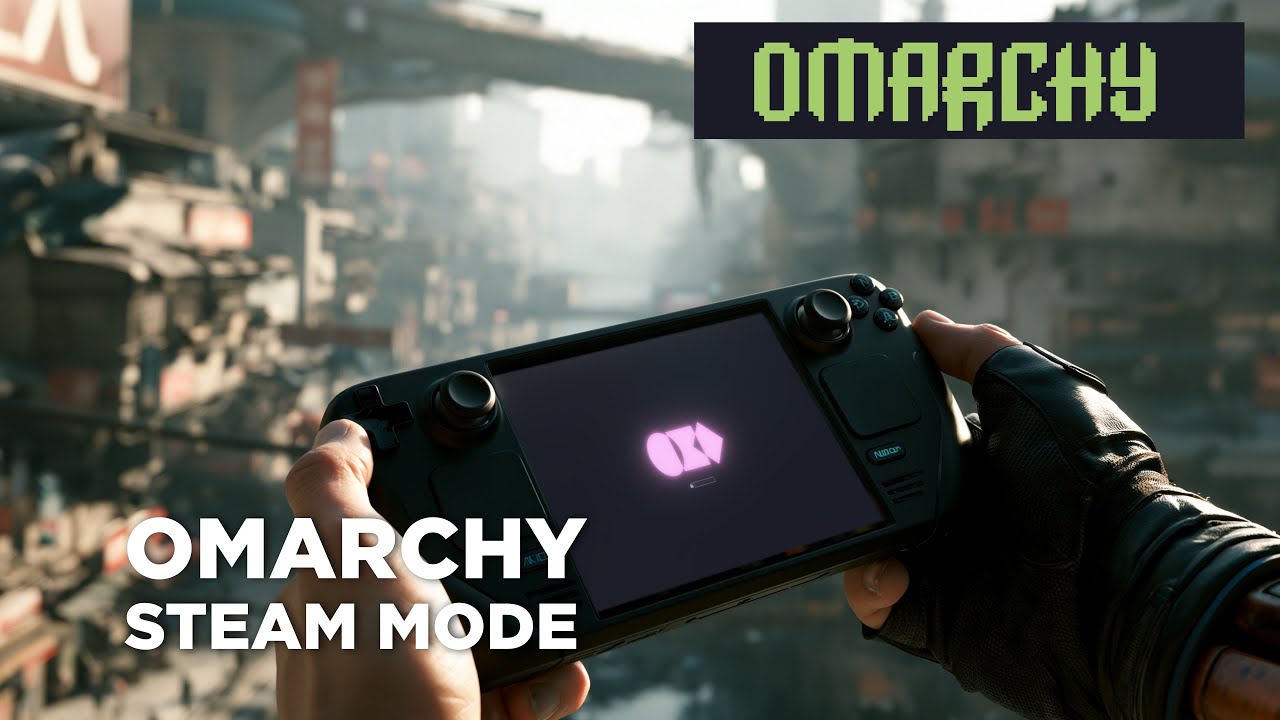](https://youtu.be/nj4pLh3spCs)
|
||
|
||
## What's New
|
||
|
||
### v0.1.15 — Omarchy 4 (Quickshell + Lua config) compatibility
|
||
|
||
Omarchy 4 moved Hyprland onto a Lua config provider (`hyprctl systeminfo` reports `configProvider: lua`) and replaced the Waybar/Walker/Mako desktop stack with the Quickshell-based omarchy-shell. Two things this broke, both fixed:
|
||
|
||
- **The `Super+Shift+S` keybind never activated on fresh Omarchy 4 installs.** The `*.conf` files under `~/.config/hypr` (including `bindings.conf`, where DeckShift wrote its keybind) are no longer read at all. The installer now writes to `~/.config/hypr/bindings.lua` when it exists — `hl.unbind("SUPER + SHIFT + S")` first (Omarchy's defaults claim that combo, and duplicate Hyprland binds both fire), then `o.bind(...)`. `bindings.conf` remains as a fallback for pre-4 installs.
|
||
- **`deckshift-portal-recovery` silently stopped running after returning from Gaming Mode** — its `exec-once` lived in the now-ignored `autostart.conf`, so the screen-share/portal fix from v0.1.4 was effectively disabled. The installer now wires it via `o.launch_on_start(...)` in `~/.config/hypr/autostart.lua`, with the `autostart.conf` fallback kept for pre-4.
|
||
- `--verify` now checks the Lua files on Omarchy 4 (previously it false-passed against the dead `bindings.conf`) and gained a portal-recovery autostart check.
|
||
- Removed the Walker/elephant integration: `omarchy-restart-walker` and `elephant` no longer exist on Omarchy 4. The elephant `launch_prefix` config step, the Walker refresh after installing the settings launcher, and the clipboard-restart tail of `deckshift-portal-recovery` are all gone. Omarchy 4's shell owns the clipboard and starts fresh with each session, so the stale-clipboard bug those steps fixed can no longer occur. (If you're on pre-4 Omarchy and rely on the clipboard fix, stay on v0.1.13.)
|
||
|
||
Re-running `./deckshift.sh` on an existing install migrates the keybind and autostart wiring to the Lua files automatically.
|
||
|
||
*(v0.1.14 was an unreleased keybind change that was reverted; the version number is skipped.)*
|
||
|
||
### v0.1.13 — Pacman hook keeps gamescope's cap_sys_nice across upgrades
|
||
|
||
- Linux file capabilities live as an xattr (`security.capability`) on the inode, so every time pacman replaces `/usr/bin/gamescope` during an upgrade the previously-granted `cap_sys_nice=eip` is silently lost. Performance mode keeps "working" but the compositor thread loses its priority boost — worse frame pacing and input latency, with no error surfaced anywhere.
|
||
- DeckShift now installs `/usr/share/libalpm/hooks/deckshift-gamescope-cap.hook`, a pacman hook that re-applies `cap_sys_nice=eip` PostTransaction whenever `gamescope` is installed or upgraded. The installer prompts for it the same time it asks for the initial capability grant; if you already consented on a prior install, re-running `./deckshift.sh` adds the hook silently.
|
||
- The hook is treated as optional in the verification step, so users who declined performance mode (or declined the cap prompt) won't see a missing-file warning.
|
||
|
||
### v0.1.12 — Refresh-rate selection actually reaches gamescope now
|
||
|
||
- **The real bug:** Omarchy installs `gamescope` from Arch's `extra` repo (upstream Valve binary), but the AUR `gamescope-session-git` script (OpenGamingCollective / ex-ChimeraOS fork) was written assuming the ChimeraOS-fork `gamescope-plus` binary that ships `--custom-refresh-rates`. The fork isn't packaged for 64-bit Arch — we can't install it cleanly. The session script feature-detects via `gamescope_has_option "--custom-refresh-rates"`, finds it absent, and **silently drops the `CUSTOM_REFRESH_RATES` value before it reaches gamescope**. Net effect: every refresh-rate selection in the DeckShift TUI since the project began has been a no-op. Gaming Mode has been launching at the EDID-preferred mode (usually 60 Hz) regardless of what the user picked. v0.1.8's "60 Hz fix" was correct on paper but never actually reached the binary on Omarchy.
|
||
- **The fix:** `./deckshift.sh` now patches `/usr/share/gamescope-session-plus/gamescope-session-plus` in place, adding an `elif` branch that falls back to `--nested-refresh` (a flag present in every gamescope version) with the highest value from the `CUSTOM_REFRESH_RATES` list as the launch rate. The patch is marked with a `DECKSHIFT-NESTED-REFRESH-FALLBACK` sentinel comment for idempotency, and is re-applied on every install so AUR upgrades that clobber the file don't silently regress refresh-rate handling.
|
||
- **What you should do after upgrading:** re-run `./deckshift.sh` once. Future-you, if you ever see Gaming Mode stuck at 60 Hz after a `pacman -Syu` that touched `gamescope-session-git`, just re-run the installer — the patch reapplies cleanly.
|
||
|
||
### v0.1.11 — Multi-monitor handling: disable an auxiliary monitor before Gaming Mode
|
||
|
||
- New env var `OUTPUT_CONNECTOR_TO_DISABLE` (single connector or comma list). When set, `switch-to-gaming` runs `hyprctl keyword monitor <conn>,disable` for each listed connector *before* SDDM restart, while Hyprland is still alive. The disable is runtime-only — when the user returns from Gaming Mode, the new Hyprland reads its static config fresh and the monitor comes back automatically.
|
||
- Settings TUI exposes this as a **"Hide monitor"** option in the main menu and on the state panel. The picker lists every connected monitor *except* the gaming one, plus a "(clear)" entry to remove the override.
|
||
- Fixes a reported issue on multi-monitor setups (e.g. Framework Desktop + LG DualUp + Gigabyte M27Q) where gamescope would either land on the wrong screen or refuse to start when both monitors were attached. The previous workaround was to physically unplug the second monitor.
|
||
- Also fixes a latent bug from v0.1.10: the config-file path in the TUI was supposed to render with `~` instead of `/home/<user>` to fit the panel, but bash's tilde-expansion on the replacement side of `${var/#pat/~}` re-expanded `~` back to `$HOME`, making the substitution a no-op. The replacement is now escaped as `\~`.
|
||
|
||
### v0.1.10 — Settings TUI layout polish
|
||
|
||
- Banner, state panel, menu header, and menu items now share a single centred panel column rather than each block centring itself independently. The TUI feels visibly aligned in a Walker floating window of any width — no more drifting elements off to the left while the menu floats to the right.
|
||
- Panel width is adaptive (`min(terminal − 6, 60)`, floored at 40) so the layout looks right from narrow ttys up to fullscreen.
|
||
- Terminal-width detection now reads `stty size </dev/tty` first (kernel-reported, always reflects the live window) and only falls back to `tput cols` / `80`. Fixes off-centre rendering in freshly-spawned floating terminals whose terminfo hasn't caught up yet.
|
||
- Config-file path now renders with `~` instead of `/home/<user>/…` so it fits the panel.
|
||
- Unset resolution shows `<auto>` (matching the other unset placeholders) instead of `?x?`.
|
||
|
||
### v0.1.9 — Auto-migrate legacy refresh-rate values
|
||
|
||
- Installer now detects pre-v0.1.8 scalar `CUSTOM_REFRESH_RATES` values (e.g. `165`) and rewrites them to the v0.1.8 comma format (`60,165`), then imports the new value into the running systemd user environment. Re-running `./deckshift.sh` is enough to fix Gaming Mode for users hit by the 60 Hz bug — no need to re-open the Settings TUI and re-pick the rate.
|
||
|
||
### v0.1.8 — Settings TUI now reaches gamescope without re-login
|
||
|
||
- The Settings TUI used to write `~/.config/environment.d/gamescope-session-plus.conf` and rely on the user logging out before the change reached `gamescope-session-plus@.service`. Saving the TUI now calls `systemctl --user import-environment` for the keys it just wrote, so the next Gaming Mode launch picks up the new values immediately.
|
||
- Refresh-rate writes are now a comma list with `60` as the floor (e.g. `60,165`) rather than a single value. Gamescope's `--custom-refresh-rates` is a list of switchable rates, not a launch-rate selector — keeping `60` in the list guarantees a safe fallback if the high-rate mode isn't enumerated on first launch.
|
||
- Fixes a reported regression where Gaming Mode always launched at 60 Hz on NVIDIA + HDMI even though the TUI showed the user's chosen rate.
|
||
|
||
### v0.1.7 — Foot terminal compatibility
|
||
|
||
- Internal: confirmed DeckShift Settings TUI works unchanged with Omarchy's new `foot` terminal (in addition to kitty / ghostty / alacritty). No code changes required — Omarchy's stock floating-window rule already lists foot's native class.
|
||
|
||
### v0.1.6 — Omarchy-only, simpler portal recovery
|
||
|
||
- Dropped the non-Omarchy fallback in `deckshift-portal-recovery` — DeckShift targets Omarchy only, so the helper now just calls `omarchy-restart-walker` directly.
|
||
- Header / docs cleaned up to drop the "cross-distro is the next direction" note.
|
||
|
||
### v0.1.5 — clipboard recovery after Gaming Mode
|
||
|
||
- After returning from Gaming Mode, Walker's clipboard listener (`elephant.service`) was still bound to the killed Hyprland's Wayland socket, so paste did nothing and clipboard history was empty.
|
||
- `deckshift-portal-recovery` now calls `omarchy-restart-walker` at the end, which restarts `elephant.service` + `app-walker@autostart.service` and reattaches the clipboard to the live compositor.
|
||
|
||
### v0.1.4 — portal recovery race fix
|
||
|
||
- The initial `deckshift-portal-recovery` helper restarted all five services (xdg-desktop-portal-hyprland, xdg-desktop-portal, pipewire, pipewire-pulse, wireplumber) simultaneously. That raced — the portals could come up before wireplumber had rebuilt the node graph, leaving the screencast portal bound to nothing.
|
||
- Rewritten as a serialised sequence: push live `WAYLAND_DISPLAY`/`XDG_*` env into systemd-user + D-Bus activation env → stop portals → SIGTERM/SIGKILL stragglers → restart pipewire stack → wait → start portals.
|
||
- Thanks to the user on the issue tracker who diagnosed the race and supplied the env-update + serialised-restart sequence.
|
||
|
||
### v0.1.3 — power-state save/restore + reliable exit
|
||
|
||
- **Saves your real pre-Gaming-Mode state** (CPU governor + power profile) on entry to `~/.cache/deckshift/saved-state` and restores those exact values on exit. No more guessing `powersave`/`balanced`.
|
||
- **Synchronous restore in `switch-to-desktop`** — runs *before* SDDM is restarted, so the restore can't be SIGKILL'd mid-write by session teardown.
|
||
- **`switch-to-desktop` now uses an atomic `systemctl restart sddm`** instead of a racy stop+disowned-start that could leave the display manager stopped (= black screen).
|
||
- **`powerprofilesctl` is now in the NOPASSWD allowlist** so the restore call can succeed without a polkit auth agent.
|
||
|
||
### v0.1.2 — TUI hardening + hybrid PRIME offload
|
||
|
||
- **Hybrid GPU support in the Settings TUI.** Two new GPU modes:
|
||
- **`[hybrid-nvidia]`** — for laptops with NVIDIA dGPU + AMD/Intel iGPU where the laptop screen (`eDP-1`) is wired to the iGPU. Sets `__NV_PRIME_RENDER_OFFLOAD=1` + friends so Gamescope runs on the iGPU but games inside still render on the NVIDIA dGPU via PRIME render offload. Tested working on Acer Nitro (AMD APU + RTX 3050) playing Homeworld 3 with NVIDIA acceleration on the laptop screen.
|
||
- **`[hybrid-amd]`** — for AMD dGPU + AMD/Intel iGPU laptops. Asks which GPU is the dGPU, then sets `DRI_PRIME` + `MESA_VK_DEVICE_SELECT` so games offload to the AMD dGPU.
|
||
- **Settings TUI no longer crashes on stale `OUTPUT_CONNECTOR`.** When the saved monitor is currently unplugged the TUI falls back gracefully instead of tripping `pipefail`.
|
||
- **Installer no longer preselects monitor / resolution / refresh rate.** Display selection is now exclusively the TUI's job; the installer writes only GPU and static keys to `gamescope-session-plus.conf`.
|
||
- **Conf writer is now per-key set/unset** (sed-based), idempotent — re-running the installer preserves user-set display values from the TUI instead of clobbering them.
|
||
|
||
### v0.1.1 / v0.1.0 — original deckshift fork
|
||
|
||
- Settings TUI launched from Walker (`Super+Space → "DeckShift Settings"`).
|
||
- NVIDIA driver branch auto-pick (Pascal/Maxwell/Volta → `nvidia-580xx-utils`, Turing+ → `nvidia-utils`) via Omarchy's `omarchy-hw-nvidia-gsp`.
|
||
- Idempotent package installs via `omarchy-pkg-add`.
|
||
- Optional Xbox Bluetooth controller support (`xpadneo-dkms`, opt-in).
|
||
- Intel GPU support (Iris Xe, Arc) with a generation warning for older Gen8/9.
|
||
- Multilib check removed (Omarchy ships with multilib enabled).
|
||
|
||
## Settings TUI
|
||
|
||
After install, launch `DeckShift Settings` from the app menu (`Super+Space`) — or run `deckshift-settings` directly — to change Gaming Mode display settings without editing config files:
|
||
|
||
| Option | What it sets in `gamescope-session-plus.conf` |
|
||
|---|---|
|
||
| Monitor | `OUTPUT_CONNECTOR` (auto-detected from connected DRM outputs; pick or clear) |
|
||
| Resolution | `SCREEN_WIDTH` / `SCREEN_HEIGHT` (offers monitor's native modes + common presets) |
|
||
| Refresh rate | `CUSTOM_REFRESH_RATES` (parsed from EDID, plus common rates as fallback) |
|
||
| GPU — direct | `VULKAN_ADAPTER` + `GBM_BACKEND` (NVIDIA) or `DRI_PRIME` (AMD/Intel) — single-GPU desktops |
|
||
| GPU — `[hybrid-nvidia]` | `__NV_PRIME_RENDER_OFFLOAD=1`, `__VK_LAYER_NV_optimus=NVIDIA_only`, `__GLX_VENDOR_LIBRARY_NAME=nvidia` — hybrid laptops with NVIDIA dGPU + iGPU-attached eDP |
|
||
| GPU — `[hybrid-amd]` | `DRI_PRIME=pci-…` + `MESA_VK_DEVICE_SELECT=<vendor:device>` + `MESA_VK_DEVICE_SELECT_FORCE_DEFAULT_DEVICE=1` — hybrid laptops with AMD dGPU + iGPU |
|
||
| (clear) | Removes all GPU keys; gamescope auto-picks at runtime |
|
||
|
||
The `[hybrid-*]` options only appear when the relevant GPU pair is detected.
|
||
|
||
The TUI launches as a floating window via Omarchy's `TUI.float` pattern. Selections are **buffered** — nothing is written to disk until you pick **Save and exit**. **Cancel** discards unsaved changes. Saved changes apply next time you enter Gaming Mode (`Super+Shift+S`).
|
||
|
||
## What It Does
|
||
|
||
This installer transforms your desktop into a dual-mode system:
|
||
|
||
- **Desktop Mode** — your normal Hyprland session.
|
||
- **Gaming Mode** — full-screen Steam Big Picture running inside Gamescope (the same compositor used by the Steam Deck), with automatic performance tuning, controller support, and external drive mounting.
|
||
|
||
Switching between modes is seamless — SDDM handles session transitions, and your network, audio, and peripherals carry over automatically.
|
||
|
||
## Requirements
|
||
|
||
- **OS**: [Omarchy](https://omarchy.com) (Arch Linux + Hyprland + SDDM)
|
||
- **GPU**: AMD (discrete or APU), NVIDIA (discrete), or Intel (Arc / Iris Xe), or any hybrid combo of the above
|
||
- Intel Arc (Alchemist, Battlemage): well-supported
|
||
- Tiger Lake / Alder Lake Iris Xe: playable for indies / older AAA
|
||
- Older Gen8/9 Intel (Skylake, Kaby Lake): expect slow/glitchy — installer warns and asks before continuing
|
||
- Hybrid laptops (NVIDIA + iGPU, AMD dGPU + iGPU): use the corresponding `[hybrid-*]` GPU mode in the Settings TUI
|
||
- **AUR Helper**: yay or paru (for ChimeraOS session packages)
|
||
|
||
> **Note**: This script targets Omarchy and its stack (Hyprland, SDDM, iwd, UWSM, PipeWire). It works on other Arch + Hyprland setups with light tweaks, but isn't tested there.
|
||
|
||
## Quick Start
|
||
|
||
```bash
|
||
git clone https://git.no-signal.uk/nosignal/deckshift.git
|
||
cd deckshift
|
||
chmod +x deckshift.sh
|
||
./deckshift.sh
|
||
```
|
||
|
||
The installer is fully interactive and walks you through each step.
|
||
|
||
After install, open `DeckShift Settings` from the app menu (`Super+Space`) and pick:
|
||
|
||
- A monitor
|
||
- A resolution / refresh rate
|
||
- A GPU mode — for hybrid laptops, prefer `[hybrid-nvidia]` or `[hybrid-amd]` over the direct options
|
||
|
||
Save, then `Super+Shift+S` to launch Gaming Mode.
|
||
|
||
## Usage
|
||
|
||
| Action | How |
|
||
|---|---|
|
||
| Enter Gaming Mode | `Super + Shift + S` |
|
||
| Return to Desktop | `Super + Shift + R` *(global keybind monitor catches it inside Gamescope)* |
|
||
| Return to Desktop (alternative) | Steam → Power → **Switch to Desktop** |
|
||
| Open settings | App menu (`Super+Space`) → `DeckShift Settings`, or run `deckshift-settings` |
|
||
|
||
### Command-Line Options
|
||
|
||
```
|
||
./deckshift.sh # Full installation
|
||
./deckshift.sh --verify # Verify installation only
|
||
./deckshift.sh --version # Show version
|
||
./deckshift.sh --help # Show help
|
||
```
|
||
|
||
## Recovery from a Black Screen
|
||
|
||
If Gaming Mode (or anything else) leaves you on a black screen, here's the order of escalation:
|
||
|
||
1. **`Super + Shift + R`** — the keybind monitor inside Gamescope still works on a black screen as long as the kernel is processing input.
|
||
2. **Wait 10 seconds.** Sometimes the display is just renegotiating EDID after a session swap; give it a beat.
|
||
3. **Switch to a TTY**: press `Ctrl + Alt + F2` (try `F3` / `F4` if F2 is blank). You'll get a text login prompt.
|
||
4. Log in as your user, then run one of:
|
||
- **Cleanest** — log the graphical session out cleanly and bounce back to SDDM:
|
||
```
|
||
loginctl terminate-user $USER
|
||
```
|
||
- **Heavier** — restart the whole display manager:
|
||
```
|
||
sudo systemctl restart sddm
|
||
```
|
||
5. **From SSH** (from another machine on the network) the same commands work — handy if the box is wedged but its network is alive.
|
||
6. **Last resort:** hold the power button. Safe in this situation; you didn't cause the freeze, gamescope did.
|
||
|
||
If you keep ending up on a black screen, see [Troubleshooting](#troubleshooting) — most often it's a GPU↔connector mismatch on hybrid laptops (e.g. NVIDIA mode targeting `eDP-1`, which on a hybrid is wired to the iGPU). Switch the GPU mode in DeckShift Settings to `[hybrid-nvidia]` and pick `eDP-1` for the monitor.
|
||
|
||
## What Gets Installed
|
||
|
||
### Packages
|
||
|
||
The installer checks for and offers to install:
|
||
|
||
**Core Steam Dependencies**
|
||
- `steam`, `gamescope`, `mangohud`, `gamemode`
|
||
- Vulkan loaders and Mesa libraries (32-bit and 64-bit)
|
||
- Audio libraries (`lib32-alsa-plugins`, `lib32-libpulse`, `lib32-openal`)
|
||
- Networking (`networkmanager`, `lib32-libnm`)
|
||
- Fonts (`ttf-liberation`)
|
||
|
||
**GPU-Specific Drivers**
|
||
- **NVIDIA (Turing+ / GSP firmware — GTX 16xx, RTX 20–50xx, etc.)**: `nvidia-utils`, `lib32-nvidia-utils`, `nvidia-settings`, `libva-nvidia-driver`
|
||
- **NVIDIA (legacy Maxwell/Pascal/Volta — GTX 9xx/10xx, Quadro P/M)**: `nvidia-580xx-utils`, `lib32-nvidia-580xx-utils`, `nvidia-settings`, `libva-nvidia-driver`
|
||
- **AMD**: `vulkan-radeon`, `lib32-vulkan-radeon`, `libvdpau`, `lib32-libvdpau`
|
||
- **Intel**: `vulkan-intel`, `lib32-vulkan-intel`, `intel-media-driver`
|
||
|
||
The correct NVIDIA driver branch is auto-selected via Omarchy's `omarchy-hw-nvidia-gsp` / `omarchy-hw-nvidia-without-gsp` helpers — no manual override needed. Intel-only systems get a generation warning + Y/N prompt before continuing (Skylake/Kaby Lake era is slow; Tiger Lake / Arc is fine).
|
||
|
||
**AUR Packages** (via yay/paru)
|
||
- `gamescope-session-git` — ChimeraOS base session framework
|
||
- `gamescope-session-steam-git` — ChimeraOS Steam session with compatibility scripts
|
||
- `proton-ge-custom-bin` (optional)
|
||
|
||
**Other Requirements**
|
||
- `python-evdev` — for the keyboard shortcut monitor
|
||
- `gum`, `jq` — for the Settings TUI
|
||
- `ntfs-3g` — for mounting NTFS game drives
|
||
- `udisks2` — for external drive auto-mounting
|
||
- `xcb-util-cursor`, `libcap`, `curl`, `pciutils`
|
||
|
||
**Optional: Xbox Bluetooth Controllers**
|
||
- `xpadneo-dkms`, `linux-headers` — wireless Xbox pad button mapping & rumble for Big Picture / RetroArch (wired pads work without this)
|
||
- Prompted opt-in during install; pair with `Super+Ctrl+B`
|
||
|
||
Package installs use Omarchy's `omarchy-pkg-add` (idempotent, double-checks pacman actually installed each package).
|
||
|
||
### Files Created
|
||
|
||
#### Session Scripts
|
||
| Path | Purpose |
|
||
|---|---|
|
||
| `/usr/local/bin/switch-to-gaming` | Hyprland → Gaming Mode |
|
||
| `/usr/local/bin/switch-to-desktop` | Gaming Mode → Hyprland (synchronous power-state restore + atomic SDDM restart) |
|
||
| `/usr/local/bin/gamescope-session-nm-wrapper` | Main session wrapper (performance mode, NM, drive mounting, saves pre-Gaming-Mode state) |
|
||
| `/usr/local/bin/gaming-session-switch` | Helper that toggles SDDM autologin between Hyprland and Gamescope |
|
||
| `/usr/local/bin/gaming-keybind-monitor` | Python evdev daemon catching `Super+Shift+R` inside Gamescope |
|
||
| `/usr/lib/os-session-select` | Handler for Steam's "Exit to Desktop" button |
|
||
| `/usr/local/lib/gamescope-nvidia/gamescope` | NVIDIA wrapper that adds `--force-composition` |
|
||
|
||
#### NetworkManager Integration
|
||
| Path | Purpose |
|
||
|---|---|
|
||
| `/usr/local/bin/gamescope-nm-start` | Starts NetworkManager on gaming session entry |
|
||
| `/usr/local/bin/gamescope-nm-stop` | Stops NetworkManager and restores iwd on session exit |
|
||
| `/etc/NetworkManager/conf.d/10-iwd-backend.conf` | Configures NM to use iwd backend (if iwd is detected) |
|
||
| `/etc/NetworkManager/conf.d/20-unmanaged-systemd.conf` | Prevents NM/systemd-networkd conflicts (if networkd is detected) |
|
||
|
||
#### External Drive Support
|
||
| Path | Purpose |
|
||
|---|---|
|
||
| `/usr/local/bin/steam-library-mount` | Auto-detects and mounts drives with Steam libraries |
|
||
|
||
#### Session & Display Manager
|
||
| Path | Purpose |
|
||
|---|---|
|
||
| `/usr/share/wayland-sessions/gamescope-session-steam-nm.desktop` | SDDM session entry for Gaming Mode |
|
||
| `/etc/sddm.conf.d/zz-gaming-session.conf` | SDDM autologin session switching config |
|
||
|
||
#### Permissions & Security
|
||
| Path | Purpose |
|
||
|---|---|
|
||
| `/etc/sudoers.d/gaming-session-switch` | NOPASSWD: session switching, NM, bluetooth, `powerprofilesctl set *` |
|
||
| `/etc/sudoers.d/gaming-mode-sysctl` | NOPASSWD: performance sysctl tuning |
|
||
| `/etc/polkit-1/rules.d/50-gamescope-networkmanager.rules` | Polkit rules for NM D-Bus access |
|
||
| `/etc/polkit-1/rules.d/50-udisks-gaming.rules` | Polkit rules for external drive mounting |
|
||
| `/etc/udev/rules.d/99-gaming-performance.rules` | Udev rules for CPU/GPU performance control |
|
||
| `/etc/security/limits.d/99-gaming-memlock.conf` | Memory lock limits (2 GB) for gaming |
|
||
|
||
#### Performance & Environment
|
||
| Path | Purpose |
|
||
|---|---|
|
||
| `/etc/environment.d/99-shader-cache.conf` | Shader cache optimisation (12 GB Mesa/DXVK cache) |
|
||
| `/etc/environment.d/90-nvidia-gamescope.conf` | NVIDIA Gamescope environment variables |
|
||
| `/etc/pipewire/pipewire.conf.d/10-gaming-latency.conf` | PipeWire low-latency audio config |
|
||
|
||
#### User Config
|
||
| Path | Purpose |
|
||
|---|---|
|
||
| `~/.config/environment.d/gamescope-session-plus.conf` | Gamescope session config (display + GPU keys) — managed via the Settings TUI |
|
||
| `~/.config/hypr/bindings.lua` | Hyprland keybind for `Super+Shift+S` (appended; `bindings.conf` on pre-Omarchy-4) |
|
||
| `~/.cache/deckshift/saved-state` | Pre-Gaming-Mode CPU governor + power profile (created on entry, cleaned up on exit) |
|
||
|
||
#### Settings TUI
|
||
| Path | Purpose |
|
||
|---|---|
|
||
| `/usr/local/bin/deckshift-settings` | Gum-based TUI for Gaming Mode display + GPU settings |
|
||
| `/usr/share/applications/deckshift-settings.desktop` | App menu launcher (floats via Omarchy's `TUI.float` windowrule) |
|
||
|
||
## How It Works
|
||
|
||
### Session Switching Flow
|
||
|
||
```
|
||
Desktop Mode (Hyprland)
|
||
│
|
||
├─ Super+Shift+S pressed
|
||
│ └─ switch-to-gaming runs:
|
||
│ ├─ Masks suspend targets (prevents sleep during switch)
|
||
│ ├─ Updates SDDM config to gaming session
|
||
│ └─ Restarts SDDM → boots into Gaming Mode
|
||
│
|
||
Gaming Mode (Gamescope + Steam Big Picture)
|
||
│
|
||
├─ On session start (gamescope-session-nm-wrapper):
|
||
│ ├─ Saves current CPU governor + power profile to ~/.cache/deckshift/saved-state
|
||
│ ├─ Enables performance mode (CPU governor → performance, GPU max power, PPD → performance)
|
||
│ ├─ Starts NetworkManager (for Steam network access)
|
||
│ ├─ Launches steam-library-mount (external drive detection)
|
||
│ ├─ Starts gaming-keybind-monitor (Super+Shift+R listener)
|
||
│ └─ Launches gamescope-session-plus with Steam
|
||
│
|
||
├─ Super+Shift+R pressed (or Steam → Power → Switch to Desktop)
|
||
│ └─ switch-to-desktop runs:
|
||
│ ├─ Reads ~/.cache/deckshift/saved-state and restores CPU governor + PPD synchronously
|
||
│ ├─ Unmasks suspend targets
|
||
│ ├─ Restores Bluetooth
|
||
│ ├─ Shuts down Steam gracefully
|
||
│ ├─ Kills gamescope
|
||
│ ├─ Updates SDDM config to Hyprland session
|
||
│ └─ Atomic systemctl restart sddm → boots into Desktop Mode
|
||
│
|
||
└─ On session cleanup (trap handler — backup path):
|
||
├─ Kills steam-library-mount and keybind-monitor
|
||
├─ Stops NetworkManager, restores iwd WiFi
|
||
└─ Re-applies saved CPU governor + power profile (idempotent if switch-to-desktop already ran)
|
||
```
|
||
|
||
### Performance Mode
|
||
|
||
When Gaming Mode starts, the session wrapper saves your current CPU governor and power-profiles-daemon profile to `~/.cache/deckshift/saved-state`, then:
|
||
|
||
- Sets CPU governor to `performance` on all cores
|
||
- **NVIDIA**: enables persistence mode, sets power limit to maximum, disables runtime suspend
|
||
- **AMD**: sets GPU to high performance via `power_dpm_force_performance_level`
|
||
- Sets the power profile to `performance` (when `power-profiles-daemon` is available)
|
||
|
||
On exit, both `switch-to-desktop` (synchronous, runs first) and the wrapper's trap (backup) read the saved file and restore the **exact** values that were set before Gaming Mode.
|
||
|
||
> **Caveat — Omarchy + AC**: Omarchy's `omarchy-powerprofiles-init` autostarts on every Hyprland session and sets the power profile to `performance` whenever the laptop is on AC. So even after a perfect deckshift restore, the next Hyprland session will reset to `performance` if you're plugged in. This is Omarchy's intended behaviour, not a deckshift bug — it'd happen to any program that tries to set `balanced` and then a Hyprland session restarts. To opt out, comment `exec-once = omarchy-powerprofiles-init` in `~/.config/hypr/autostart.conf`. On battery the deckshift restore lands at the saved value and stays there.
|
||
|
||
### GPU Detection
|
||
|
||
The installer detects:
|
||
|
||
- **AMD dGPU**: PCI device names (Navi, RDNA, Vega discrete cards)
|
||
- **AMD APU**: integrated GPU codenames (Phoenix, Rembrandt, Van Gogh, etc.)
|
||
- **NVIDIA**: lspci, configures `nvidia-drm.modeset=1` if missing, picks `nvidia-utils` vs `nvidia-580xx-utils` via Omarchy's GSP-firmware detection
|
||
- **Intel (Arc / Iris Xe / iGPU)**: `i915` / `xe` kernel drivers
|
||
- **Hybrid combinations**: detected by the Settings TUI, which surfaces the appropriate `[hybrid-*]` GPU mode
|
||
|
||
The installer itself no longer picks a monitor / resolution / refresh / GPU — those are user choices, made via the Settings TUI after install.
|
||
|
||
### NetworkManager Integration
|
||
|
||
Many systems running Hyprland use `iwd` or `systemd-networkd` instead of NetworkManager. Since Steam requires NetworkManager for its network settings UI, the installer creates a managed handoff:
|
||
|
||
1. On Gaming Mode entry: NetworkManager starts, takes over networking.
|
||
2. On Gaming Mode exit: NetworkManager stops, iwd/networkd resumes.
|
||
|
||
This avoids conflicts and ensures both desktop and gaming sessions have network access.
|
||
|
||
### External Drive Auto-Mount
|
||
|
||
The `steam-library-mount` daemon runs during Gaming Mode and:
|
||
|
||
1. Scans all connected drives for Steam library folders.
|
||
2. Mounts drives containing `steamapps/` directories via udisks2.
|
||
3. Monitors udev for hot-plugged drives.
|
||
4. Unmounts non-Steam drives to avoid clutter.
|
||
|
||
Supports ext4, NTFS, btrfs, xfs, exfat, f2fs, and vfat filesystems.
|
||
|
||
## Configuration
|
||
|
||
### Config File
|
||
|
||
The installer reads from `/etc/gaming-mode.conf` (or `~/.gaming-mode.conf` if it exists):
|
||
|
||
```bash
|
||
PERFORMANCE_MODE=enabled # Set to "disabled" to skip performance tuning
|
||
```
|
||
|
||
### Gamescope Session Config
|
||
|
||
The installer **only** writes GPU + static keys to `~/.config/environment.d/gamescope-session-plus.conf`:
|
||
|
||
```bash
|
||
# Static — every install:
|
||
STEAM_ALLOW_DRIVE_UNMOUNT=1
|
||
FCITX_NO_WAYLAND_DIAGNOSE=1
|
||
SDL_VIDEO_MINIMIZE_ON_FOCUS_LOSS=0
|
||
|
||
# GPU-specific (NVIDIA shown):
|
||
VULKAN_ADAPTER=10de:25ac
|
||
GBM_BACKEND=nvidia-drm
|
||
```
|
||
|
||
Display keys (`SCREEN_WIDTH`, `SCREEN_HEIGHT`, `CUSTOM_REFRESH_RATES`, `OUTPUT_CONNECTOR`) and hybrid-PRIME env vars are **owned exclusively by the Settings TUI**. Re-running the installer preserves your TUI choices.
|
||
|
||
**NVIDIA note**: Gamescope on NVIDIA is currently capped at 2560×1440. The TUI flags any higher resolution as unsupported.
|
||
|
||
### Shader Cache
|
||
|
||
The installer configures a 12 GB shader cache by default in `/etc/environment.d/99-shader-cache.conf`:
|
||
|
||
```bash
|
||
MESA_SHADER_CACHE_MAX_SIZE=12G
|
||
__GL_SHADER_DISK_CACHE_SIZE=12884901888
|
||
DXVK_STATE_CACHE=1
|
||
```
|
||
|
||
## NVIDIA-Specific Notes
|
||
|
||
- **Kernel parameter**: `nvidia-drm.modeset=1` is required. The installer can configure this for Limine, GRUB, or systemd-boot.
|
||
- **Resolution cap**: Gamescope on NVIDIA is limited to 2560×1440 maximum.
|
||
- **Force composition**: the NVIDIA wrapper automatically adds `--force-composition` if your Gamescope version supports it.
|
||
- **Environment**: `GBM_BACKEND=nvidia-drm` and related vars are set automatically.
|
||
- **Persistence mode**: enabled during gaming, disabled on exit.
|
||
|
||
### Hybrid laptop note
|
||
|
||
On a hybrid laptop (NVIDIA dGPU + AMD/Intel iGPU), the laptop screen (`eDP-1`) is wired to the iGPU. NVIDIA cannot scan out directly to it — pointing the direct `[nvidia]` mode at `eDP-1` will black-screen.
|
||
|
||
Use **`[hybrid-nvidia]`** in the Settings TUI instead. Gamescope will run on the iGPU (which owns `eDP-1`) and games inside will render on NVIDIA via PRIME render offload, with the rendered frames flowing back through DMA-BUF for scanout. This is the same architecture Steam Deck uses (just with one GPU).
|
||
|
||
## Bootloader Support
|
||
|
||
The installer can automatically configure `nvidia-drm.modeset=1` for:
|
||
|
||
- **Limine** — appends to `cmdline:` in `/boot/limine.conf`
|
||
- **GRUB** — adds to `GRUB_CMDLINE_LINUX_DEFAULT` and regenerates config
|
||
- **systemd-boot** — provides manual instructions for `/boot/loader/entries/*.conf`
|
||
|
||
A backup is created before any bootloader modification.
|
||
|
||
## Troubleshooting
|
||
|
||
### Verify Installation
|
||
|
||
Run the built-in verification to check all files, permissions, packages, and services:
|
||
|
||
```bash
|
||
./deckshift.sh --verify
|
||
```
|
||
|
||
### Common Issues
|
||
|
||
**Gaming Mode shows a black screen on `eDP-1`**
|
||
|
||
Most likely a hybrid-laptop GPU↔connector mismatch — NVIDIA can't drive the iGPU's display.
|
||
|
||
- Switch the GPU mode to **`[hybrid-nvidia]`** (or `[hybrid-amd]` for AMD-only hybrids) in DeckShift Settings.
|
||
- If you only have the laptop screen, that's the only working path — direct NVIDIA mode requires an external display plugged into the dGPU's HDMI/DP output.
|
||
|
||
See [Recovery from a Black Screen](#recovery-from-a-black-screen) for how to get out of the black-screen state.
|
||
|
||
**Gaming Mode doesn't start**
|
||
|
||
- Check NVIDIA kernel params: `cat /proc/cmdline | grep nvidia`
|
||
- Verify gamescope works: `gamescope -- steam`
|
||
- Check session logs: `journalctl --user -u gamescope-session -n 50`
|
||
|
||
**No network in Gaming Mode**
|
||
|
||
- Test NM manually: `sudo systemctl start NetworkManager && nmcli general`
|
||
- Check polkit rules: `ls -la /etc/polkit-1/rules.d/50-gamescope-*`
|
||
- Check logs: `journalctl -t gamescope-nm -n 20`
|
||
|
||
**Super+Shift+R doesn't work in Gaming Mode**
|
||
|
||
- Ensure `python-evdev` is installed: `pacman -Qi python-evdev`
|
||
- Ensure user is in `input` group: `groups | grep input`
|
||
- Check the keybind monitor: `journalctl -t gaming-keybind-monitor -n 20`
|
||
- Fallback: Steam → Power → **Switch to Desktop**
|
||
|
||
**External drives not mounting**
|
||
|
||
- Ensure `udisks2` is installed: `pacman -Qi udisks2`
|
||
- Check polkit rules exist: `ls /etc/polkit-1/rules.d/50-udisks-gaming.rules`
|
||
- Check mount logs: `journalctl -t steam-library-mount -n 20`
|
||
|
||
**Audio stuttering in Gaming Mode**
|
||
|
||
- Check PipeWire config exists: `cat /etc/pipewire/pipewire.conf.d/10-gaming-latency.conf`
|
||
- Try lower quantum: edit the config and set `default.clock.min-quantum = 128`
|
||
|
||
**Screen sharing in Chromium / Firefox is broken after returning from Gaming Mode (only "Share a tab" works)**
|
||
|
||
Root cause: `xdg-desktop-portal-hyprland` (and the pipewire stack behind it) is still bound to the killed Hyprland instance after the SDDM restart. Tab capture in Chromium works because it bypasses the portal entirely; screen and window capture go through services that need to be reattached to the live compositor. (On pre-4 Omarchy the same stale-socket problem also killed the clipboard via Walker's `elephant.service`; Omarchy 4's shell starts fresh each session, so the clipboard is unaffected there.)
|
||
|
||
DeckShift handles this automatically via `/usr/local/bin/deckshift-portal-recovery`, autostarted from `~/.config/hypr/autostart.lua` (Omarchy 4) or `autostart.conf` (pre-4). **If you installed before v0.1.15 and are on Omarchy 4, re-run `./deckshift.sh`** — the old `autostart.conf` wiring is ignored by Omarchy 4's Lua config provider, so the helper never ran. You can also run the recovery manually:
|
||
|
||
```bash
|
||
touch /tmp/.deckshift-just-returned && /usr/local/bin/deckshift-portal-recovery
|
||
```
|
||
|
||
then re-open the browser tab. (The `touch` is needed because the helper is a no-op without the marker file — that's deliberate, so it doesn't bounce portals on every normal login.)
|
||
|
||
**Suspend fails with "Access denied" after returning from Gaming Mode**
|
||
|
||
The runtime mask on `suspend.target` from the gaming switch wasn't cleared. DeckShift now handles this in `switch-to-desktop`. For older installs, the one-time fix is:
|
||
|
||
```bash
|
||
sudo systemctl unmask --runtime sleep.target suspend.target hibernate.target hybrid-sleep.target
|
||
sudo systemctl daemon-reload
|
||
```
|
||
|
||
**Power profile stays on `performance` after Gaming Mode exit**
|
||
|
||
If you're on AC and using Omarchy, this is expected — see the *Performance Mode* caveat above. The deckshift restore is correctly running; Omarchy's session-init policy is overriding it on the next Hyprland start.
|
||
|
||
**Intel-only system, Gaming Mode is laggy**
|
||
|
||
- Older Gen8/9 Intel iGPUs (Skylake, Kaby Lake) struggle with Vulkan workloads. Lower the launch resolution via the Settings TUI (`deckshift-settings`) — 720p / 1080p makes a big difference.
|
||
- If you have a discrete GPU that should take over, check its driver is loaded: `lspci -k | grep -A2 VGA`
|
||
|
||
**Gaming Mode launches at 60 Hz even though I picked a higher rate in the TUI**
|
||
|
||
`--custom-refresh-rates` is gamescope's list of *switchable* rates, not a launch-rate selector. On embedded/DRM output (especially NVIDIA + HDMI) gamescope picks the connector's EDID-preferred mode at first launch, which is usually 60 Hz even when higher modes are enumerated. Two-step fix:
|
||
|
||
1. Confirm the env var actually reached the session:
|
||
```bash
|
||
systemctl --user show-environment | grep REFRESH
|
||
journalctl --user -u "gamescope-session-plus@*" -b --no-pager | grep -m1 -- '--custom-refresh-rates'
|
||
```
|
||
In v0.1.8+ this should work without re-login — the Settings TUI now calls `systemctl --user import-environment` on save. If you're on an older release, log out and back in once after saving in the TUI.
|
||
2. Once Steam Big Picture is up, set the rate explicitly: Settings → Display → Refresh Rate → your rate. Steam persists this client-side, so every subsequent Gaming Mode launch will go straight to that rate.
|
||
|
||
### Log Locations
|
||
|
||
| Component | Command |
|
||
|---|---|
|
||
| Gaming session | `journalctl --user -u gamescope-session` |
|
||
| NetworkManager | `journalctl -t gamescope-nm` |
|
||
| Drive mounting | `journalctl -t steam-library-mount` |
|
||
| Keybind monitor | `journalctl -t gaming-keybind-monitor` |
|
||
| Session wrapper | `journalctl -t gamescope-wrapper` |
|
||
| Installation | `journalctl -t gaming-mode` |
|
||
|
||
## Uninstalling
|
||
|
||
To completely remove DeckShift:
|
||
|
||
```bash
|
||
# Stop any running gaming-mode bits
|
||
sudo pkill -f gamescope
|
||
sudo pkill -f gaming-keybind-monitor
|
||
sudo pkill -f steam-library-mount
|
||
|
||
# Remove scripts
|
||
sudo rm -f /usr/local/bin/{switch-to-gaming,switch-to-desktop,gamescope-session-nm-wrapper,\
|
||
gaming-session-switch,gaming-keybind-monitor,gamescope-nm-start,gamescope-nm-stop,\
|
||
steam-library-mount,deckshift-settings,deckshift-portal-recovery}
|
||
sudo rm -f /usr/lib/os-session-select
|
||
sudo rm -rf /usr/local/lib/gamescope-nvidia
|
||
|
||
# Remove SDDM session entry
|
||
sudo rm -f /usr/share/wayland-sessions/gamescope-session-steam-nm.desktop
|
||
sudo rm -f /usr/share/wayland-sessions/gamescope-session-steam.desktop
|
||
sudo rm -f /usr/share/wayland-sessions/gamescope-session.desktop
|
||
|
||
# Remove permissions
|
||
sudo rm -f /etc/sudoers.d/gaming-session-switch
|
||
sudo rm -f /etc/sudoers.d/gaming-mode-sysctl
|
||
sudo rm -f /etc/polkit-1/rules.d/50-gamescope-networkmanager.rules
|
||
sudo rm -f /etc/polkit-1/rules.d/50-udisks-gaming.rules
|
||
sudo rm -f /etc/udev/rules.d/99-gaming-performance.rules
|
||
sudo rm -f /etc/security/limits.d/99-gaming-memlock.conf
|
||
sudo rm -f /usr/share/libalpm/hooks/deckshift-gamescope-cap.hook
|
||
|
||
# Remove configs
|
||
sudo rm -f /etc/sddm.conf.d/zz-gaming-session.conf
|
||
sudo rm -f /etc/environment.d/99-shader-cache.conf
|
||
sudo rm -f /etc/environment.d/90-nvidia-gamescope.conf
|
||
sudo rm -f /etc/pipewire/pipewire.conf.d/10-gaming-latency.conf
|
||
sudo rm -f /etc/NetworkManager/conf.d/10-iwd-backend.conf
|
||
sudo rm -f /etc/NetworkManager/conf.d/20-unmanaged-systemd.conf
|
||
|
||
# Remove user files
|
||
rm -f ~/.config/environment.d/gamescope-session-plus.conf
|
||
rm -rf ~/.cache/deckshift
|
||
sudo rm -f /usr/share/applications/deckshift-settings.desktop
|
||
|
||
# Strip the Hyprland keybind + portal-recovery autostart lines
|
||
# Omarchy 4 (Lua config):
|
||
sed -i '/switch-to-gaming/d; /SUPER + SHIFT + S/d' ~/.config/hypr/bindings.lua
|
||
sed -i '/deckshift-portal-recovery/d' ~/.config/hypr/autostart.lua
|
||
# Pre-4 Omarchy (.conf config):
|
||
sed -i '/switch-to-gaming/d' ~/.config/hypr/bindings.conf
|
||
sed -i '/deckshift-portal-recovery/d' ~/.config/hypr/autostart.conf
|
||
|
||
# Reload polkit/udev
|
||
sudo systemctl restart polkit
|
||
sudo udevadm control --reload-rules
|
||
|
||
# Optionally remove AUR packages
|
||
yay -Rns gamescope-session-git gamescope-session-steam-git
|
||
```
|
||
|
||
## Credits
|
||
|
||
- [Omarchy](https://omarchy.com) — the Arch Linux distribution this was built for
|
||
- [ChimeraOS](https://chimeraos.org/) — gamescope-session packages
|
||
- [Valve](https://store.steampowered.com/) — Steam, Gamescope, and the Steam Deck inspiration
|
||
- [Hyprland](https://hyprland.org/) — Wayland compositor
|
||
|
||
## License
|
||
|
||
This project is provided as-is for the Omarchy community.
|